
4K Vlogging Camera Pocket Digital Camera
4.4Editor score
330-degree rotating lens
Built-in WiFi transfer
Includes accessories kit
Discover the top cameras for social media content creators. We compare the best video tools for YouTube, TikTok, and vlogs to help you choose wisely.
Creating engaging content requires reliable gear that captures every moment with clarity and ease. The right camera for social media content ensures your videos stand out on platforms like YouTube and TikTok without demanding expert skills or heavy equipment.
We evaluated ten top-rated models based on image quality, portability, and creator-friendly features like flip screens and stabilization. This list covers everything from pocket-sized vloggers to advanced kits, helping you find the perfect tool for your unique style.
Each pick highlights specific strengths, from budget-friendly starters to premium options with professional audio support. While selection vary by model, all choices prioritize user experience and content quality. Remember that prices and availability can change, so check current listings before buying.
4.4Editor score

4.5Editor score
5.0Editor score
This side-by-side comparison highlights key features across all ten models. From resolution and stabilization to connectivity and accessories, each entry helps you quickly identify which camera fits your content creation needs and budget.


The DJI Osmo Pocket 3 Creator Combo earns top honors for its exceptional balance of portability and professional features. With a 1-inch CMOS sensor, it captures video in 4K at 120fps, delivering breathtaking clarity even in low-light scenarios like sunsets or night views.
We may earn a commission when you buy through this link, at no additional cost to you.
Its 3-axis mechanical stabilization ensures your footage remains smooth whether you are dancing, hiking, or chasing pets. The 2-inch rotating touch screen makes framing effortless for both horizontal and vertical shots, while ActiveTrack 6.0 keeps you perfectly centered without manual adjustment.
Trade-offs include a higher price tag and reliance on DJI-specific accessories for expanded audio capabilities. However, the included Mic 2 transmitter and battery handle offset some costs by providing pro-grade sound and extended recording time right out of the box.
This model is ideal for serious content creators who prioritize image quality and stabilization. If you want reliable gear for YouTube vlogs or Instagram reels without bulky rigs, the Osmo Pocket 3 delivers unmatched performance in a pocket-sized package.
The large 1-inch sensor enhances clarity in dim environments, making it perfect for sunset shots or indoor vlogs where lighting is inconsistent.
Direct connection to two DJI Mic 2 transmitters simplifies your audio setup, ensuring crystal-clear sound for interviews or solo vlogs.
We may earn a commission when you buy through this link, at no additional cost to you.
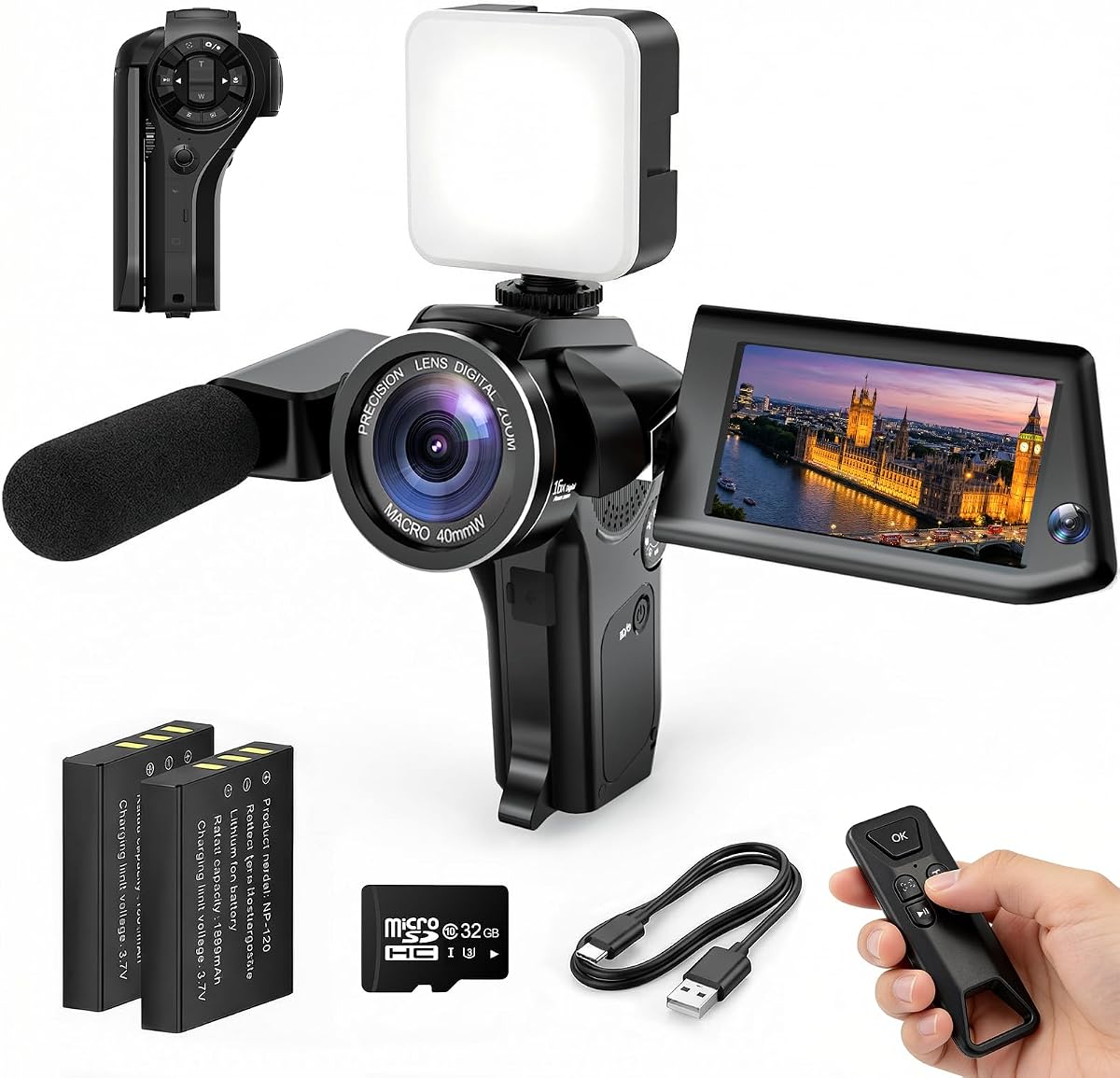
For first-time creators seeking an accessible entry into video production, the 4K Vlogging Camera offers impressive value. Its unique 330-degree rotating lens allows you to frame shots naturally without complex adjustments, making solo vlogging intuitive and comfortable.
We may earn a commission when you buy through this link, at no additional cost to you.
The camera supports 4K video and 75MP photos, ensuring your content meets platform standards for clarity. Built-in WiFi enables quick transfer to smartphones for editing and sharing, while the included kit provides a tripod, SD card, and carrying bag to get started immediately.
While it lacks the rugged build of premium models, its lightweight design is perfect for travel and daily use. The simplicity of operation means you can focus on creativity rather than troubleshooting settings, though advanced features like HDR are not available.
This kit is perfect for students or hobbyists needing a ready-to-go solution. If you want a camera that supports YouTube or TikTok creation without breaking the bank, this model delivers all the essential tools for everyday social media.
Fast autofocus and a wide-angle lens ensure sharp footage without complicated settings, making it ideal for those new to content creation.
The included 16GB TF card and mini tripod remove the need for extra purchases, allowing you to start recording right away.
We may earn a commission when you buy through this link, at no additional cost to you.
This camera distinguishes itself with a Picture-in-Picture mode that lets you record both the scene and your reaction simultaneously. This feature is invaluable for reaction videos, tutorials, or family memories where showing your facial expressions adds emotional depth to the content.
We may earn a commission when you buy through this link, at no additional cost to you.
Unlike traditional cameras that only capture the scene, this model ensures viewers see the moment and your feelings in real time. The WiFi Flip Screen facilitates easy framing for self-recording, while the 8K Creator Kit branding implies high-resolution capture for sharp details.
While the Picture-in-Picture feature is specialized, it may not suit every creator, which can justify the higher price. However, for family vloggers or reviewers who need to show their face alongside a product, this capability is unmatched in the current market.
If your content relies on personal connection, this model stands out. It transforms standard videos into engaging stories by including the creator in the frame without needing extra equipment or complex editing software post-recording.
Capturing your reaction alongside the event makes videos feel more personal and authentic, increasing viewer engagement on platforms like YouTube.
For product reviews or unboxings, viewers see both the item and your immediate response, simplifying the filming process significantly.
We may earn a commission when you buy through this link, at no additional cost to you.
The FlyFrost 8K Video Camera pushes resolution boundaries by recording video up to 8K and capturing 88MP photos. This high-resolution capability ensures your content is detailed enough for large screens, while the 6-axis gyroscope autofocus maintains sharpness during dynamic movements.
We may earn a commission when you buy through this link, at no additional cost to you.
Its IR Night Vision allows recording in dimly lit environments, offering versatility for nighttime adventures or low-light events. The included external microphone helps reduce wind noise, and the 2.4G remote control lets you operate the camera from up to 60 feet away.
While 8K video at 15FPS is not ideal for high-action sequences, it serves well for cinematic still shots or slow-motion edits. The inclusion of a lens hood and stabilizer helps beginners achieve professional results without needing extra gear purchases.
This model is suited for creators needing maximum resolution and versatility. If you require night recording and high pixel counts for detailed photography alongside video, this camera provides extensive functionality within a compact budget-friendly package.
IR Night Vision enables capturing black-and-white footage in dark environments, expanding your shooting options beyond daylight hours.
The inclusion of batteries, a remote, and a microphone ensures you can start filming immediately without buying separate peripherals.
We may earn a commission when you buy through this link, at no additional cost to you.
Designed for creators needing precise framing, the 8K Digital Camera features a 3.5-inch screen that flips 180 degrees. This design makes self-recording straightforward for vlogs or tutorials, while HDR imaging ensures realistic detail representation in high-contrast lighting conditions.
We may earn a commission when you buy through this link, at no additional cost to you.
The 20X precision zoom allows smooth transitions when capturing distant subjects, enhancing versatility for travel or wildlife content. Built-in WiFi syncs content to your phone via the Viipulse app for quick sharing to TikTok or YouTube, streamlining your workflow.
Although the camera supports HDR to improve image quality, the internal processing may limit high-speed performance. However, the inclusion of two high-capacity batteries ensures you rarely miss a shot during long sessions, and the eco-friendly build adds durability.
This model is ideal for creators who prioritize framing and image fidelity. If you need a lightweight camera with a large screen for accurate selfies and robust photo capabilities, it offers a strong balance of features for daily content production.
The 180-degree flip screen allows you to see yourself clearly while recording, ensuring perfect composition without guessing.
HDR imaging support helps capture details in shadows and highlights, making your videos look more professional and polished.
We may earn a commission when you buy through this link, at no additional cost to you.
For spontaneous daily recording, this Mini Camcorder offers unmatched portability. Measuring just 5.35 inches in length, it fits easily in a pocket or bag, ensuring you are always ready to capture unexpected moments without carrying heavy gear.
We may earn a commission when you buy through this link, at no additional cost to you.
Its one-button recording feature eliminates setup time, while the included 32GB memory card means you never run out of storage. The 180-degree rotating lens supports POV shots and selfies, allowing flexible angles for travel or casual updates.
While the image quality is not DSLR-level, the camera excels at capturing fun, everyday memories. The 7-hour battery life supports long recording sessions, making it an ideal backup camera for events or as a primary device for low-pressure social media posts.
Choose this model if you value convenience over technical specs. It is perfect for travelers or parents who want a simple tool to document life without the hassle of complex settings or frequent recharging.
Its pocket size ensures you can carry it everywhere, encouraging frequent use for daily updates and on-the-go recording.
No app downloads or QR codes are required; simply press record to start capturing memories instantly with zero setup.
We may earn a commission when you buy through this link, at no additional cost to you.
This variation of the 4K Vlogging Camera maintains the simplicity and features that make it a top choice for beginners. The 330-degree rotating lens allows natural framing for travel vlogs, while built-in WiFi ensures you can transfer content directly to your phone for quick editing.
We may earn a commission when you buy through this link, at no additional cost to you.
It captures 4K video and 75MP photos, offering clear resolution for social media platforms. The included kit provides a mini tripod, charging cable, and carrying bag, ensuring you have everything needed to start filming immediately without additional purchases.
While the camera lacks advanced stabilization, its lightweight design makes it easy to hand-hold for steady shots. The focus on ease of use allows you to concentrate on your content rather than navigating complex menus or technical adjustments.
This model is perfect for those seeking a straightforward tool for YouTube or TikTok. If you need a reliable, compact camera that simplifies the creation process while delivering clear footage, it is an excellent entry-level option.
Built-in WiFi allows you to transfer photos and videos to smartphones instantly, speeding up your editing and posting workflow.
Essential accessories like a tripod and SD card are included, reducing setup costs and ensuring a smooth start for new users.
We may earn a commission when you buy through this link, at no additional cost to you.
If you already own a smartphone, this Vlogging Kit provides all the accessories needed to elevate your production quality. It includes a wireless microphone for clear audio, an RGB fill light for adjustable color tones, and flexible tripods for unique angles.
We may earn a commission when you buy through this link, at no additional cost to you.
The sturdy tripod allows stable shots from various heights, while the phone clamp ensures your device stays secure during recording. This kit is designed to integrate seamlessly with your existing phone, turning it into a powerful camera for social media.
While it relies on your phone for image capture, the audio and lighting improvements significantly enhance overall quality. The inclusion of storage bags and remote controls adds convenience, making it a practical solution for creators avoiding bulky camera gear.
This kit is ideal for vloggers wanting to upgrade their current setup. If you seek professional audio and lighting without buying a new camera, these accessories provide a cost-effective way to improve your YouTube or TikTok content.
The wireless microphone delivers crisp sound, ensuring your voice is heard clearly even when moving away from the device during recording.
RGB modes and brightness levels allow you to set the perfect mood, ensuring accurate skin tones for professional-looking videos.
We may earn a commission when you buy through this link, at no additional cost to you.
This kit simplifies solo recording with a 70-inch auto face tracking tripod that follows your movement. It uses gesture control—making an OK sign starts tracking and a palm stops it—eliminating the need for app downloads or complex setup procedures.
We may earn a commission when you buy through this link, at no additional cost to you.
The dual wireless microphones ensure clear audio with noise reduction, while integrated LED lights provide consistent lighting for indoor shots. This all-in-one solution supports both horizontal and vertical shooting, making it adaptable for YouTube and TikTok formats.
While the camera relies on your smartphone, the automation features save time and effort during filming. The extended 33-foot range allows freedom of movement, ensuring you stay in frame without needing to manually adjust the device.
Choose this kit if you need hands-free recording. It is perfect for livestreaming or talking-head videos where you need to move freely while maintaining professional audio and consistent framing.
Using simple hand gestures to start or pause tracking makes the camera feel responsive and easy to manage during live sessions.
The 70-inch tripod height allows for high-angle shots, giving you better perspectives for presentations or dance videos.
We may earn a commission when you buy through this link, at no additional cost to you.
For creators streaming from a desk, the Logitech Brio 101 offers reliable performance with Auto-Light Balance that boosts brightness by up to 50%. This ensures you look your best even in dimly lit rooms, making it a great choice for indoor content.
We may earn a commission when you buy through this link, at no additional cost to you.
It features a privacy slide cover for secure off-state protection and a built-in microphone for clear audio. The USB A connection provides a stable plug-and-play experience with most video calling platforms, requiring no additional drivers or software installations.
While it is a fixed-mount device with limited range, its simplicity makes it perfect for educational content or regular livestreams. The use of recycled plastic adds an eco-friendly appeal, and the customizable settings via the Logi Options+ app offer control.
This webcam is ideal for streamers needing consistent lighting and reliability. If your content focuses on talking or tutorials at a desk, it delivers professional quality without the complexity of dedicated camera systems.
Auto-Light Balance compensates for poor room lighting, ensuring your video feed remains bright and clear without external lights.
The integrated slide cover allows you to physically block the lens, ensuring privacy and security when not actively recording.
We may earn a commission when you buy through this link, at no additional cost to you.
Selecting the right camera involves balancing technical specs with your specific needs and budget. This guide breaks down the most critical factors to consider before making your purchase.
Resolution determines the clarity of your videos and photos. For social media, 4K is the standard, offering sharpness that holds up well on mobile screens. Higher resolutions like 8K provide extra detail but may require more storage and processing power for editing.
Prioritize 4K as a minimum standard to ensure future compatibility and professional-looking content.
Stabilization is crucial for travel or dynamic content. Optical or mechanical stabilization, like gimbal systems, prevents shaky footage that distracts viewers. Without it, even high-resolution video can appear amateurish if the camera moves too much.
Look for models with built-in 3-axis stabilization or electronic stabilization features for smooth motion.
Clear audio is as important as video quality. Some cameras include external microphone inputs or built-in mics with noise reduction. High-quality audio ensures your voice is heard clearly over background noise, which is vital for tutorials or interviews.
Choose cameras with external mic inputs or include a separate microphone kit for best results.
Quick transfer to smartphones speeds up your workflow. Built-in WiFi or Bluetooth allows you to download and edit content directly on mobile devices. This feature is essential for platforms like TikTok where instant sharing is key.
Ensure the camera supports fast wireless transfer to your preferred editing apps.
For creators on the go, compact design is essential. Cameras that fit in a pocket or light bag allow you to capture moments spontaneously. Lightweight materials and ergonomic handles make long recording sessions more comfortable.
Select a model that balances size with features based on your travel needs.
A flip screen or rotating lens helps you frame yourself accurately. This is especially useful for solo vlogs where you need to see your position relative to the lens. Touchscreens also make menu navigation faster and more intuitive.
Prioritize models with a flip screen or rotating lens for easier self-recording.
Recording sessions can drain battery quickly. Cameras offering 7 hours or more of continuous use allow for longer events without interruptions. Some kits include spare batteries or fast charging options to keep you powered through.
Check battery life ratings and consider models that support recording while charging.
Balance cost with your skill level. Beginners often benefit from all-in-one kits that include accessories like tripods and SD cards, whereas advanced users may prefer bare-body models to customize their gear.
Calculate the total cost including necessary accessories to ensure you stay within budget.
Start by familiarizing yourself with the basic controls. Most beginner-friendly models have a simple interface with one-button recording or touch menus. Set your resolution to 4K initially and adjust settings based on your lighting conditions to ensure clarity.
For long recording sessions, invest in extra batteries and a high-speed memory card. Keep the lens clean with a microfiber cloth and store the camera in a protective case to prevent scratches or dust accumulation during travel.
Update your firmware regularly through the manufacturer's app to access new features. If your camera supports WiFi, use it to back up footage immediately after shooting to avoid data loss and streamline your editing workflow.
A camera with vertical framing options and flip screen is ideal for shorts and TikTok. Look for models like the DJI Osmo Pocket 3 or kits that support vertical recording to maximize your content's impact on these platforms.
While phones are capable, dedicated cameras offer better audio, stabilization, and low-light performance. If you focus on high-quality vlogs or travel videos, a dedicated camera provides features like external mic inputs that phones often lack.
8K is not strictly necessary for most social media platforms which compress video heavily. However, 8K allows for detailed cropping and future-proofing. 4K is generally sufficient for current platforms and easier to edit and upload.
Essential accessories include a tripod for stability, an external microphone for audio, and extra batteries. For travel, a carrying bag and cleaning kit are useful. Kits that bundle these items often provide better value than buying separately.
Use built-in electronic stabilization if available on your camera. Additionally, shoot in well-lit environments to reduce the need for movement, and practice holding the camera steadily with two hands for smoother results.
Dedicated cameras with larger sensors like the DJI Osmo Pocket 3 excel in low light. Budget models may struggle but include night vision features. Always add an external light source like an RGB fill light for consistent quality in dark settings.
Modern WiFi transfer is sufficiently fast for sharing clips to smartphones for quick editing. For full 4K files, a card reader may be faster. Use WiFi for quick uploads to social media to save time during daily content creation.
Most portable cameras offer 4 to 7 hours of recording time. Some high-end kits include spare batteries. Always keep a backup power bank handy for long shoots to ensure you never miss a moment due to power loss.
Choosing the best camera depends on your specific content goals and budget. The DJI Osmo Pocket 3 offers professional quality and stabilization, while budget-friendly kits provide all the tools needed to start creating immediately without significant financial risk.
Prioritize features that enhance your workflow, such as flip screens for self-recording or audio inputs for clear voiceovers. Remember that the best gear is what helps you produce content consistently, so choose a model that feels comfortable and reliable for your style.
Always check current listings and availability before purchasing as prices and stock can change. Whether you are recording travel vlogs or daily tutorials, these options cover a wide range of needs to help you succeed in social media creation.