
Harvopu for iPad A16 Case with Keyboard
4.3Editor score
RGB backlit typing
High sensitive trackpad
Detachable keyboard design
Choosing the right keyboard for your iPad A16 can transform how you work and create on the go. A good keyboard case offers protection, typing comfort, and precise trackpad control that makes your tablet feel like a laptop.
We compared ten real products based on compatibility, trackpad quality, battery life, and build materials. Each option supports the latest 16 generation and the 10th generation models, ensuring you find a fit that works perfectly with your device.
Each pick highlights key features, pros, cons, and ideal use cases so you can decide quickly. Prices and availability may change, so verify details on the product page before finalizing your purchase decision today.
4.3Editor score

4.5Editor score
4.4Editor score
As an Amazon Associate we earn from qualifying purchases.
The table below provides a side-by-side comparison of all ten keyboards, highlighting key specifications like trackpad type, backlighting, and battery features to help you compare features at a glance.


The Harvopu keyboard case for the iPad A16 offers a budget-friendly entry point into productivity accessories. It features a full RGB backlit keyboard with shortcut keys and a responsive trackpad for navigation.
We may earn a commission when you buy through this link, at no additional cost to you.
Its detachable magnetic design allows you to remove the keyboard when typing is not needed. The built-in trackpad supports multi-finger gestures, making scrolling and app switching smooth and efficient.
While the battery life is decent with a 420mAh capacity, it may not last as long as premium options. However, for the price, the typing experience and trackpad functionality are impressive.
This option is ideal for students or casual users seeking a complete keyboard and trackpad solution without a high price tag. It balances cost and performance effectively for daily tasks.
You get a full keyboard with shortcuts and a trackpad for a fraction of the cost of premium brands.
Seven RGB backlight colors and three brightness levels ensure comfortable typing in any lighting condition.
We may earn a commission when you buy through this link, at no additional cost to you.
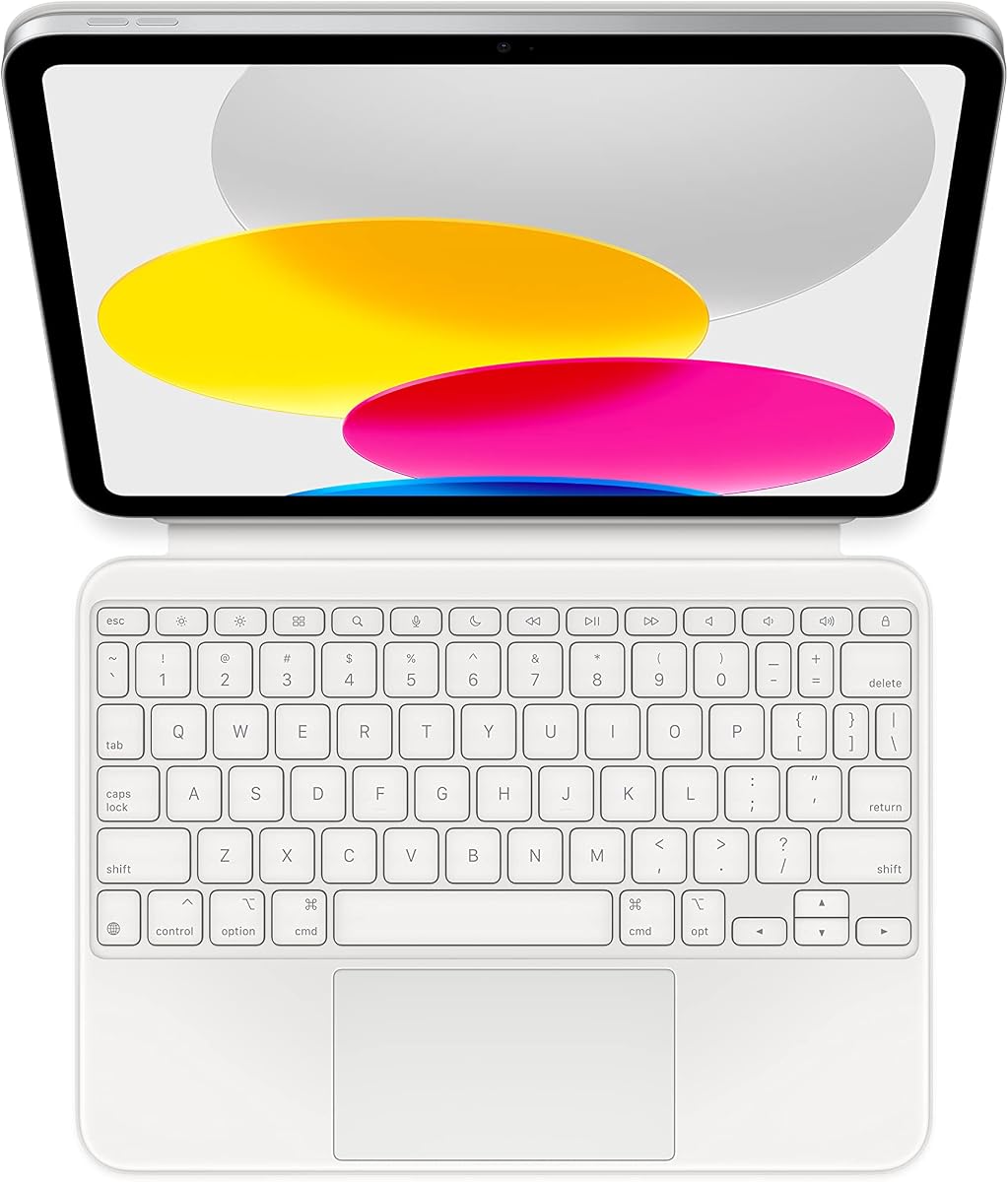
The Apple Magic Keyboard Folio delivers a seamless typing experience with a trackpad designed specifically for the iPad A16 and 10th Generation. It requires no pairing or charging.
We may earn a commission when you buy through this link, at no additional cost to you.
Its two-piece design allows for easy attachment and detachment. The back panel protects the rear, while the keyboard floats above, offering a floating cantilever stand effect for typing.
The trackpad supports full multi-touch gestures, making cursor control intuitive. The function row provides quick access to brightness and media controls without opening settings.
This keyboard is best for those who prioritize reliability and premium feel. It is perfect for office or home use where a laptop-like experience is essential for daily workflows.
The keyboard draws power from your iPad, meaning you never need to worry about charging a separate battery.
A precise trackpad with multi-touch support ensures smooth navigation across complex documents and apps.
We may earn a commission when you buy through this link, at no additional cost to you.
The typecase Edge combines protection and productivity with a floating magnetic stand that elevates your iPad. It includes a full-sized keyboard with 11 backlight colors.
We may earn a commission when you buy through this link, at no additional cost to you.
The trackpad is large and supports familiar gestures, making multitasking easy. Its design is tested for hinge stability and reliable Bluetooth connectivity for consistent performance.
The built-in Apple Pencil holder is a key feature for artists and note-takers. The keyboard offers a comfortable typing experience with ergonomic keys and shortcut rows.
Ideal for remote work or study, this case provides excellent support. The adjustable stand allows for comfortable viewing angles whether typing or watching videos on your device.
The floating magnetic stand holds your iPad securely, creating a laptop-like setup for efficient typing.
Eleven colors and three brightness levels allow you to match the keyboard lighting to your environment.
We may earn a commission when you buy through this link, at no additional cost to you.
The typecase Touch features a patented 360-degree rotating hinge that supports seven different use modes. This flexibility makes it great for typing, reading, and video calls.
We may earn a commission when you buy through this link, at no additional cost to you.
The trackpad offers multi-touch gesture control for efficient navigation. RGB backlighting ensures visibility in low-light environments, perfect for work at night or travel.
Its thin hard-shell case protects the iPad while offering a Pencil holder. The rechargeable battery ensures you stay productive throughout the day without frequent top-ups.
This keyboard case is perfect for users who need versatility. The rotating design lets you switch between typing and reading modes instantly for a smooth workflow.
Rotate the hinge to switch between typing, reading, presenting, and tablet modes with ease.
The case shields your iPad from drops and scratches while supporting daily use with reliability.
We may earn a commission when you buy through this link, at no additional cost to you.
The Logitech Combo Touch is a top-tier option known for its powerful Smart Connector. It provides unlimited battery life by drawing power directly from the iPad.
We may earn a commission when you buy through this link, at no additional cost to you.
Its trackpad is highly responsive and supports precision gestures. The backlit keys with iPadOS shortcuts make typing efficient for work or school tasks.
The detachable design allows you to use the iPad as a tablet when needed. The kickstand offers multiple angles to suit typing, reading, or viewing content.
This keyboard is perfect for power users who want reliability. The combination of protection, precision, and zero charging needs makes it a standout in this category.
Powered by the Smart Connector, you never need to replace batteries or charge the keyboard separately.
A high-performance trackpad with multi-gesture support ensures smooth scrolling and accurate clicking.
We may earn a commission when you buy through this link, at no additional cost to you.
The runelk Keyboard Case features a floating cantilever stand that mimics a laptop experience. It includes a large trackpad and a high-capacity 750mAh battery for long use.
We may earn a commission when you buy through this link, at no additional cost to you.
Its magnetic hold is strong, ensuring the iPad stays secure during typing. The trackpad supports multi-touch gestures for efficient scrolling and app switching.
The keyboard offers a comfortable typing experience with well-spaced keys and shortcut rows. It is durable and protects the iPad from knocks and falls.
This case is ideal for business users or travelers. The long battery life ensures you can work for weeks on a single charge, making it a reliable choice.
The 750mAh battery supports up to three months of use on a single charge for reliable daily work.
The cantilever design elevates the iPad for a natural typing angle and a laptop-like feel.
We may earn a commission when you buy through this link, at no additional cost to you.
The Logitech Slim Folio is a lightweight, integrated wireless keyboard without a trackpad. It uses two coin-cell batteries for up to three years of use on a single set.
We may earn a commission when you buy through this link, at no additional cost to you.
The Bluetooth connection is stable and energy-efficient, ensuring a seamless typing experience. Keys are well-spaced with shortcut access for media and volume control.
The slim profile makes it easy to carry, perfect for light typing and reading. It protects the iPad well and offers a convenient holder for the Apple Pencil.
This is best for users who prioritize portability over a trackpad. If you mainly need typing and basic navigation, it offers reliability and long-term battery life.
With smart power management, you can use the keyboard for years without worrying about battery changes.
The slim design keeps your iPad light and easy to carry for daily use or travel.
We may earn a commission when you buy through this link, at no additional cost to you.
The typecase Air 11 offers broad compatibility for iPad A16, 10th Gen, and Air models. It features a detachable keyboard with a lightweight design for students on the go.
We may earn a commission when you buy through this link, at no additional cost to you.
The battery lasts up to 180 days without backlight use, reducing charging frequency. The trackpad supports multi-touch gestures for smooth navigation.
The adjustable kickstand helps find a comfortable typing angle. The keyboard offers 11 colors and three brightness levels for personalized typing in any environment.
This option is great for students who need versatility. Its light weight and long battery life make it a practical choice for daily note-taking and reading.
With a 650mAh battery, you can type for months without frequent recharging, saving time.
Use the keyboard when needed, then detach for a lighter tablet experience without removing the case.
We may earn a commission when you buy through this link, at no additional cost to you.
The ESR Ultra-Light keyboard is incredibly thin at 6.9 mm and easy to carry. It features a large trackpad without backlighting for a streamlined look.
We may earn a commission when you buy through this link, at no additional cost to you.
The trackpad is 65% larger than standard keyboards, offering smooth navigation. Two viewing angles allow for comfortable typing or reading positions.
It uses magnetic attachment for quick setup and detachment. The case protects the iPad with reinforced corners and precise cutouts for all ports and buttons.
This is ideal for users who want minimal bulk. The lack of backlight saves battery, while the large trackpad ensures easy control for everyday tasks.
The oversized trackpad provides ample space for smooth scrolling and precise cursor control.
At just 6.9 mm thick, this keyboard adds little weight, making it perfect for carrying anywhere.
We may earn a commission when you buy through this link, at no additional cost to you.
The ZAGG Rugged Book provides military-grade protection, withstanding drops up to 6.6 feet. It features a detachable keyboard with backlight and multi-device pairing.
We may earn a commission when you buy through this link, at no additional cost to you.
The adjustable viewing angles offer comfortable typing similar to a laptop. The keyboard includes backlighting with seven colors for visibility in dim lighting.
Its durable design ensures safety in all environments. You can switch between iPad and another device easily, enhancing productivity and convenience during work.
This is best for users in rugged environments. The drop protection and sturdy build protect your investment while offering a reliable typing experience.
Built to withstand drops, this case ensures your iPad stays safe in demanding environments.
Seven backlit colors and adjustable brightness provide clear visibility when typing in low-light areas.
We may earn a commission when you buy through this link, at no additional cost to you.
Choosing the right keyboard depends on your workflow, budget, and portability needs. This guide breaks down key factors to help you make the best decision.
Ensure the keyboard supports your exact iPad model. The A16 and 10th Gen share some compatibility but check model numbers carefully to avoid fit issues.
Always verify compatibility before purchasing to ensure perfect fit and functionality with your device.
A good trackpad supports multi-touch gestures for scrolling and switching apps. Look for large sizes and responsive feedback for smoother navigation.
Prioritize a trackpad that feels natural and supports the gestures you use daily for efficiency.
Some keyboards have batteries that last months, while others draw power from the iPad. Consider how often you want to charge or replace batteries.
Long battery life reduces interruptions; if you prefer no charging, look for Smart Connector options.
RGB or single-color backlight helps in dim environments. Some models offer 11 colors and brightness levels for customization.
Choose backlighting if you often work in low light to avoid eye strain while typing.
Weight and thickness matter for travel. Lightweight models with detachable keyboards offer flexibility without adding bulk to your bag.
Prioritize slim designs if you carry your iPad daily for work or school.
Cases should offer drop protection and Pencil holders. Look for materials that resist wear and tear for long-term durability.
Protective designs ensure your iPad stays safe from bumps and scratches during use.
Bluetooth pairing or Smart Connector affects setup ease. Bluetooth offers flexibility, while Smart Connector ensures instant connection without pairing.
Choose based on whether you prefer wireless freedom or instant plug-and-play functionality.
Prices vary widely from budget to premium options. Determine what features matter most and allocate budget accordingly.
Balance cost with essential features to ensure value for your specific usage needs.
Pair your keyboard by enabling Bluetooth in settings and following the on-screen instructions. For Smart Connector models, simply attach the keyboard to the side of your iPad.
Clean the keyboard regularly with a soft, dry cloth to remove dust. Avoid liquids to protect the internal electronics of the keyboard and trackpad.
Store the iPad and keyboard in a cool, dry place when not in use. Avoid direct sunlight to prevent heat damage to the battery and materials.
Most keyboards in this guide support iPad A16 and 10th Generation models. Always verify your specific model number on the back of the iPad before buying to ensure a perfect fit.
It depends on the model. Smart Connector options draw power from the iPad. Others have built-in batteries that recharge via USB-C. Check product specs for charging details.
Many keyboards support US English layouts but work with any language settings in iPadOS. You can change the input language in iPad settings without replacing the hardware.
Yes, most trackpads support multi-touch gestures like scrolling, zooming, and switching apps. Ensure the keyboard supports iPadOS gesture recognition for a smooth experience.
Some models include a built-in Pencil holder, while others do not. Check product descriptions for Pencil compatibility if you rely on a stylus for note-taking or drawing.
Turn off Bluetooth on the iPad and power off the keyboard. Re-pair by pressing the function key combination mentioned in the manual to re-establish a stable connection.
Some keyboards have broader compatibility, including Air or Pro models. Verify the supported models listed in the product description before purchasing for other devices.
This guide highlights top picks like the Logitech Combo Touch for reliability and Apple Magic Keyboard Folio for premium features. Each option offers unique benefits for different needs.
Prioritize features like battery life, trackpad quality, and protection based on how you use your iPad daily. Your best fit depends on balancing cost and functionality.
Prices and availability may change over time. Always check the latest details on the product page before making a final purchase decision.