
Yealink Sp92 Conference Speaker
4.1Editor score
13ft microphone range
Teams certified
USB-C connectivity
This expert guide compares the top 10 Bluetooth speakerphone for the home office to help you choose the best device for clear calls and professional audio
Finding the right audio device for your workspace is essential for professional communication. A good speakerphone ensures clarity during meetings and reduces background noise effectively.
We compared ten leading models based on microphone quality, connectivity options, battery life, and software compatibility. Each product offers unique features for different home office needs.
Our detailed reviews highlight strengths and trade-offs for every option. Note that product details and availability change frequently, so verify current specs before purchasing.
4.1Editor score
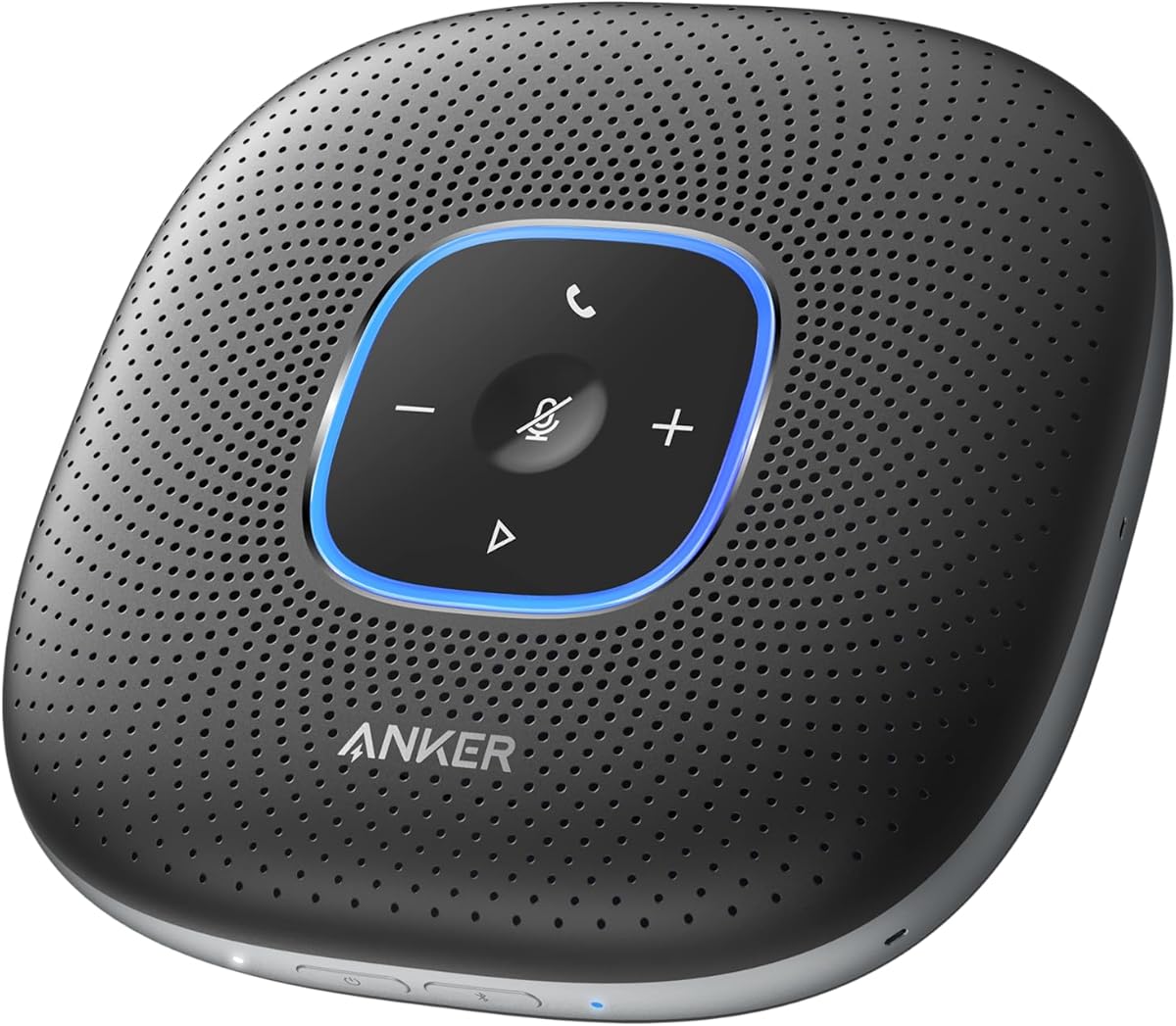
4.4Editor score

4.6Editor score
The following table provides a side-by-side overview of the key specifications and capabilities for each of the ten selected models reviewed in this guide.

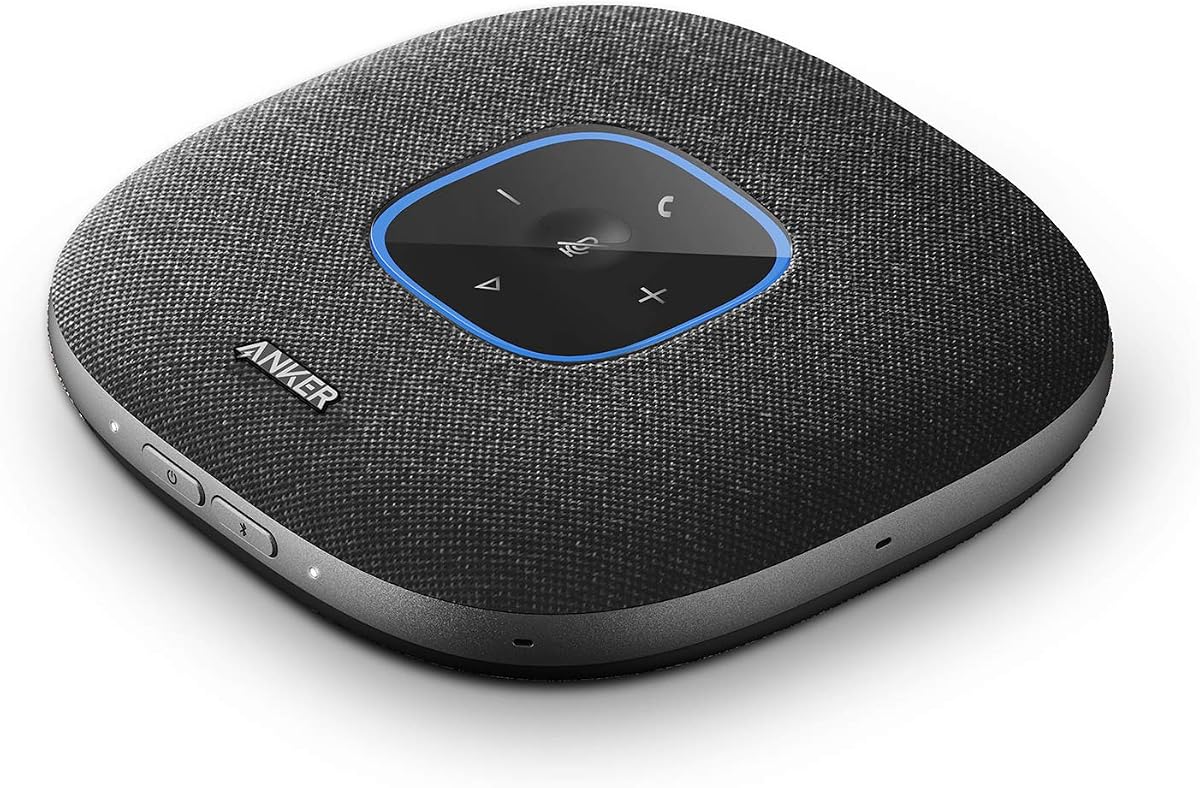


The Anker PowerConf Speakerphone stands out as a top contender for home office setups. With a 4.4 rating, it delivers professional audio quality that ensures clear communication during critical meetings.
We may earn a commission when you buy through this link, at no additional cost to you.
Its six microphones arranged in a 360-degree array ensure voices are picked up from any direction. The Voice Radar 3.0 technology effectively reduces background noise and echo, making it ideal for dynamic environments.
While the device is robust, it requires a bit of desk space to function optimally. The battery life is impressive but may require charging if used continuously for extended periods without interruption.
This speakerphone is best suited for professionals who prioritize audio clarity and versatility. It is a reliable choice for those seeking a comprehensive conferencing solution that integrates seamlessly with existing platforms.
Voice Radar 3.0 uses AI to distinguish between human voices and ambient noise, ensuring only relevant audio is transmitted.
PowerIQ technology allows the device to charge other gadgets, adding convenience to your workspace setup.
We may earn a commission when you buy through this link, at no additional cost to you.
The Anker PowerConf S330 is designed for users who prioritize a stable connection. Its plug-and-play functionality eliminates the need for complex drivers or software installations, making it accessible immediately.
We may earn a commission when you buy through this link, at no additional cost to you.
With four high-sensitivity microphones, it captures voices within a three-meter range with super-high clarity. The 1.75-inch driver and passive bass-radiators ensure that audio has depth and body, enhancing both calls and music.
A notable limitation is its reliance on a wired connection, which restricts mobility compared to wireless models. Users must ensure their desk has adequate USB port availability to utilize this device effectively.
This speakerphone is ideal for fixed office positions where uninterrupted connectivity is essential. It offers a cost-effective solution for those who need professional audio without the need for portability.
The combination of a dedicated driver and bass-radiators provides a richer sound experience compared to standard office speakerphones.
By eliminating the need for drivers, this device reduces technical setup time and potential connectivity issues.
We may earn a commission when you buy through this link, at no additional cost to you.
The Anker PowerConf S3 offers a sophisticated approach to audio conferencing with its app control capabilities. This feature allows users to customize settings and manage the device directly from their smartphone.
We may earn a commission when you buy through this link, at no additional cost to you.
Its six-microphone array ensures 360-degree voice pickup, making it suitable for group meetings. The DSP algorithm performs real-time voice optimization, ensuring that every word is heard clearly by all participants.
Managing the device through an app may require a learning curve for some users. Additionally, relying on app connectivity means that users must keep the app updated to avoid compatibility issues.
This model is perfect for tech-savvy users who want control over their conferencing environment. It balances professional audio quality with modern connectivity features, making it a versatile choice for various work scenarios.
The DSP algorithm dynamically adjusts voice levels in real-time to maintain clarity during multi-person conversations.
Compatible with all leading conferencing platforms, ensuring seamless integration into any corporate communication strategy.
We may earn a commission when you buy through this link, at no additional cost to you.
The Jabra Speak 510 is renowned for its ease of use and portability. It offers crystal-clear audio that elevates the quality of meetings and calls significantly, regardless of the environment.
We may earn a commission when you buy through this link, at no additional cost to you.
Its setup process is seamless, allowing users to start meetings almost immediately after connecting. The device supports both Bluetooth and USB connections, providing flexibility to adapt to various devices on the fly.
While it remains highly rated, the technology may feel dated compared to newer models with advanced AI features. Additionally, users should be aware of power requirements as the battery specifications vary by version.
This speakerphone is ideal for those who frequently move between locations and need a reliable device. Its durability and simplicity make it a trusted choice for professionals who value efficiency in their workflow.
Works seamlessly with a wide range of devices including laptops, smartphones, and desk phones for broad utility.
Tuned to deliver sharp audio output that ensures voice clarity and minimizes distortion during high-volume calls.
We may earn a commission when you buy through this link, at no additional cost to you.
The Yealink Sp92 delivers exceptional value for money without compromising on core functionality. Its AI noise cancellation technology effectively filters out common background noises, ensuring clean audio reproduction.
We may earn a commission when you buy through this link, at no additional cost to you.
Designed for small meeting rooms, it covers a 13-foot radius effectively. The built-in full-duplex microphones allow for natural simultaneous conversations, enhancing the overall meeting experience.
While it performs well, the design is more basic compared to premium models. Some users may find the build quality less substantial, but this is a reasonable trade-off given its price point.
This device is perfect for small teams or individuals looking for an affordable yet effective conferencing solution. Its Microsoft Teams certification ensures it meets the rigorous standards of enterprise communication environments.
AI technology filters over 1,000 types of background noises like keyboard taps to ensure clear speech transmission.
Includes a compact carrying case and weighs only 276g, making it easy to carry for business travel.
We may earn a commission when you buy through this link, at no additional cost to you.
The Lenovo Speakerphone is built for enterprise-grade performance with a focus on durability. Its eight beamforming microphones ensure that voices are prioritized over background noise in any setting.
We may earn a commission when you buy through this link, at no additional cost to you.
Designed with hybrid work in mind, it features IP54 dust and splash resistance. This makes it suitable for environments where the device might be exposed to varying conditions or accidental spills.
The complexity of its enterprise features might be overwhelming for casual users. Additionally, the price point is higher than average, which may not fit every budget or small business requirement.
This speakerphone is recommended for organizations that require robust and reliable communication tools. Its combination of durability and advanced audio processing makes it a standout option for heavy users.
Engineered to withstand daily wear and tear while maintaining consistent audio performance over long periods.
Certified for Microsoft Teams with dedicated controls to streamline meeting management and call handling.
We may earn a commission when you buy through this link, at no additional cost to you.
The Jabra Speak2 55 combines modern aesthetics with high performance. Its loudspeakers and beamforming microphones pick up sound from all directions, ensuring consistent audio quality during meetings.
We may earn a commission when you buy through this link, at no additional cost to you.
Voice level normalization equalizes all surrounding voices, preventing loud participants from overpowering others. This feature enhances inclusivity and ensures that all voices are heard clearly and equally.
The device is relatively heavy compared to ultra-portable models, which might limit its portability. The dark grey color is stylish but limits color choices for users who prefer different aesthetics.
This model is best for users who appreciate a modern and refined look in their workspace. It provides a balance of style and functionality that fits well in professional environments.
Voice normalization technology ensures that every participant is heard clearly regardless of their proximity to the speaker.
With up to 30m of Bluetooth range, users can move freely without losing connection during longer sessions.
We may earn a commission when you buy through this link, at no additional cost to you.
The Jabra Speak 510 MS is a trusted option for users prioritizing voice quality. HD Voice technology ensures that conversations are high definition, reducing strain during long calls.
We may earn a commission when you buy through this link, at no additional cost to you.
Its compatibility with softphones like Microsoft Lync makes it a valuable tool for legacy systems that still rely on specific communication platforms. This broad compatibility extends its usability significantly.
As an older model, it lacks the advanced AI features found in newer devices. Some users may miss out on modern conveniences like app integration or noise suppression algorithms.
This speakerphone is suitable for users who need proven reliability without extra frills. Its longevity in the market suggests it offers consistent performance for those who do not need the latest technology.
Delivers rich and natural sound that enhances clarity and reduces listener fatigue over extended periods.
Supports specific Microsoft platforms ensuring seamless integration for organizations still using older software suites.
We may earn a commission when you buy through this link, at no additional cost to you.
The Jabra Speak 710 offers immersive sound that transforms any room into a conference space. Its Omni-directional microphone ensures in-room coverage for up to six people, making it efficient for small teams.
We may earn a commission when you buy through this link, at no additional cost to you.
Setting up the device is straightforward thanks to intuitive plug and play connectivity. Users can connect to laptops or smartphones via USB or Bluetooth without needing IT support.
The price point is high compared to standard models, which may be prohibitive for budget-conscious buyers. The footprint is also larger than ultra-compact models, which could be a factor in smaller desks.
This speakerphone is ideal for teams that prioritize audio quality and ease of use. Its certification for major platforms ensures compatibility with modern cloud conferencing tools.
Supports up to six people in a room making it a perfect fit for huddle rooms and small team meetings.
Certified for Zoom and Google Meet ensuring that the device meets the technical standards required by these platforms.
We may earn a commission when you buy through this link, at no additional cost to you.
The YAMAHA YVC-330 brings professional audio quality to the home office. Its built-in far-field noise reduction eliminates background noise outside a three-foot range, focusing strictly on relevant speech.
We may earn a commission when you buy through this link, at no additional cost to you.
Three unidirectional microphones with human voice activity detection pick up speech clearly without noise. The self-silence feature mutes the microphone when participants are not speaking to enhance privacy.
The premium price reflects its advanced technology but may be excessive for casual users. The complexity of features like NFC might confuse users who prefer a straightforward plug-and-play experience.
This speakerphone is best for professionals who demand the highest audio quality and advanced control. It stands out for its ability to create a pristine audio environment for important discussions.
Eliminates noise outside a 3ft radius ensuring that only speech from immediate participants is captured clearly.
Self silence feature automatically mutes the mic during silence to reduce noise pollution and protect privacy.
We may earn a commission when you buy through this link, at no additional cost to you.
Selecting the right Bluetooth speakerphone involves understanding key factors that impact performance and usability in your specific workspace.
The number and arrangement of microphones significantly affect how well your voice is captured. Look for models with multiple microphones arranged in an array to ensure 360-degree coverage and consistent voice pickup regardless of where you are sitting.
Prioritize devices with advanced microphone technology like beamforming or AI noise cancellation to ensure clear communication in noisy environments.
Modern speakerphones offer a mix of Bluetooth and wired USB connections. Bluetooth provides the convenience to move around freely during calls while USB ensures a stable connection for critical meetings where stability is paramount.
Ensure the device supports both options if you switch between mobile and stationary use cases frequently.
If you plan to use the speakerphone for extended periods away from a power source check the battery life specifications. Models offering over 15 hours of talk time are ideal for all-day usage without needing frequent recharging.
Select a speakerphone with sufficient battery capacity to last through your busiest days.
Most conference devices work with various platforms but some offer specific certifications for Zoom Microsoft Teams or Google Meet. These certifications guarantee that the device is optimized for audio processing and call control within that specific software.
Choose a model that is certified for the conferencing platforms you use most frequently.
Background noise can ruin the flow of a conversation. Advanced noise cancellation features use algorithms to filter out ambient sounds like typing or traffic ensuring your voice is clear to remote participants.
Look for devices with active noise reduction to maintain professionalism in less than ideal environments.
If you travel often or need to move the device between rooms size and weight are important factors. Compact designs with carrying cases make transport easy without sacrificing audio quality.
Consider the physical footprint of the device to ensure it fits comfortably on your workspace.
High-quality speakers are essential for hearing remote participants clearly. Look for devices with dedicated drivers and bass radiators that provide rich and full sound without distortion at high volumes.
Prioritize models that emphasize high-fidelity audio for an immersive listening experience.
Speakerphones range from budget-friendly options to premium professional devices. Evaluate what features you need versus what you can afford to ensure you get the best value without overspending on unnecessary features.
Balance your budget against the essential features you require for effective communication.
Connect the speakerphone to your computer via USB or pair it with your device via Bluetooth settings. Most devices are plug-and-play so they should be recognized automatically by your operating system.
Position the speakerphone in the center of your meeting area to maximize microphone coverage. Ensure it is not obstructed by objects or placed too close to noise sources like fans or windows.
Keep the device charged and clean by wiping the microphone openings regularly. Avoid exposing the speakerphone to liquids or extreme temperatures to ensure long-term reliability and performance.
Yes most modern Bluetooth speakerphones are capable of handling both voice calls and music playback. They support standard audio profiles that allow seamless switching between communication and media consumption.
Check the product description for platform certifications like Zoom or Microsoft Teams. These certifications ensure the device meets the specific technical requirements of the software.
Move the device away from noise sources like air conditioning units or windows. You can also enable noise cancellation features in the device settings or software if available.
A wired USB connection is generally more stable and secure reducing the risk of audio dropouts. Bluetooth is convenient for mobility but may be susceptible to interference in crowded wireless environments.
Charging times vary by model but most devices take between two to four hours for a full charge. Some models offer quick charging capabilities that provide several hours of use after a short charge period.
Yes most conference speakerphones are designed to support multiple users simultaneously. They feature full-duplex audio which allows for natural conversation where people can speak and listen at the same time.
We have reviewed the top ten models available for the home office with the Anker PowerConf leading as our overall top pick. Its combination of microphone quality and battery life makes it a standout choice.
When choosing a device prioritize microphone performance and connectivity to ensure a seamless meeting experience. Your specific needs regarding portability and budget should guide your final decision.
Please note that product details and availability may change frequently. Always verify current specifications and features before making your purchase to ensure the device meets your needs.