
Seagate BarraCuda 8TB
4.7Editor score
Proven BarraCuda reliability
SATA 6 Gb/s
Frustration free packaging
When building a high-performance storage array, selecting the right hard drive for RAID 0 is critical for speed and efficiency. These configurations stripe data across multiple disks to maximize throughput, making drive compatibility and endurance key factors for success.
We evaluated ten top-rated models based on specifications, workload ratings, and real-world performance data. Our comparison focuses on drives optimized for RAID environments, ensuring you get the reliability and speed needed for demanding applications without unnecessary overhead or costs.
Each pick below highlights specific strengths, weaknesses, and ideal use cases to guide your decision. Prices and availability fluctuate frequently, so always check current listings before purchasing to ensure you get the best value for your specific storage configuration needs.
4.7Editor score

4.0Editor score

4.6Editor score
As an Amazon Associate we earn from qualifying purchases.
This side-by-side comparison evaluates all ten selected drives based on capacity, cache, RPM, and workload suitability to help you identify the most suitable model for your RAID 0 configuration.






This BarraCuda model offers excellent value for budget-conscious RAID 0 builds where raw capacity matters most. With an 8TB capacity and proven SATA performance, it delivers consistent speeds for general use without the premium price of enterprise drives.
We may earn a commission when you buy through this link, at no additional cost to you.
Its sustained transfer rate of 190MB/s ensures smooth data streaming for video editing or gaming. The drive benefits from 20 years of Seagate innovation, making it a trusted choice for PC applications ranging from photo editing to music storage.
While not specifically designed for 24×7 NAS environments, it can work in RAID 0 if power management is controlled. The lack of TLER and vibration sensors means it may require more monitoring compared to drives built for RAID arrays.
Buy this drive if you need affordable storage for a secondary array or development setup. It balances cost and performance well, though consider upgrading to IronWolf models for critical data or high-intensity workloads.
The 8TB capacity provides ample space for large media libraries while keeping total array costs manageable for home users.
Standard SATA interface ensures it works with nearly any desktop or NAS controller supporting basic RAID configurations.
We may earn a commission when you buy through this link, at no additional cost to you.
IronWolf Pro delivers enterprise-level features in a 4TB package suitable for smaller RAID arrays. It supports up to 24-bay NAS environments with optimized performance for multi-user access and file sharing across networks.
We may earn a commission when you buy through this link, at no additional cost to you.
The 214MB/s sustained speed and 7200 RPM spin rate ensure rapid data access for intensive workloads. Integrated Health Management provides proactive alerts, while included Rescue Services offer peace of mind against unexpected drive failures.
Although smaller than top picks, this drive is ideal for cost-conscious RAID setups needing reliability. The lower cache size may slightly impact burst performance compared to higher-end models, but it remains stable under continuous use.
Choose this if you need balanced performance for office or creative workflows. The recovery service adds significant value, making it a smart pick for users prioritizing data safety over maximum capacity.
Three-year Rescue Data Recovery Services provide essential coverage for critical files without additional subscription costs.
Designed for minimal vibration ensures stable operation even in multi-drive chassis where resonance could affect performance.
We may earn a commission when you buy through this link, at no additional cost to you.
This 16TB drive is our top pick for serious RAID 0 users needing massive capacity with enterprise reliability. Its CMR technology ensures consistent performance without the risks associated with SMR drives in high-throughput environments.
We may earn a commission when you buy through this link, at no additional cost to you.
With a 550TB/year workload rating and 2.5M hours MTBF, it handles continuous 24×7 operation effortlessly. IronWolf Health Management helps prevent issues before they occur, reducing downtime and maintaining peak system health over time.
The included Rescue Data Recovery Services provide crucial backup for valuable data, complementing its robust design. While it demands compatible hardware, the total cost of ownership remains competitive due to longevity and reliability features.
Buy this for professional media editing or large-scale storage arrays. It balances capacity, speed, and protection better than most rivals, making it the ideal choice for demanding RAID 0 configurations.
All-CMR portfolio guarantees industry-leading 24×7 performance that supports rapid data access anytime, anywhere without degradation.
AgileArray with RV sensors delivers top RAID performance specifically tuned for multi-bay environments with demanding workloads.
We may earn a commission when you buy through this link, at no additional cost to you.
The Red Plus series stands out for its CMR technology, avoiding the pitfalls of SMR in RAID setups. With 12TB capacity, it suits medium-sized arrays needing steady performance for business or creative applications.
We may earn a commission when you buy through this link, at no additional cost to you.
NASware firmware ensures compatibility with most enclosures, while the 512MB cache helps buffer data during write spikes. This drive is rated for 180TB/year workload, making it suitable for small to medium business environments.
While not as rugged as Pro models, it offers a balanced profile for general storage. The three-year warranty provides decent protection, though users may find limited support compared to enterprise-grade alternatives.
Select this for reliable NAS storage without premium costs. It performs well in standard RAID 0 configurations where moderate workload and steady compatibility matter more than enterprise features.
NASware firmware is specifically tested to ensure optimum performance across a wide range of NAS enclosures and systems.
CMR technology delivers predictable sustained write speeds essential for consistent RAID performance without performance drops.
We may earn a commission when you buy through this link, at no additional cost to you.
The WD Red Pro targets high-intensity multi-user environments with a 16TB capacity. It is optimized for RAID with unlimited bay support, making it versatile for scaling storage needs over time.
We may earn a commission when you buy through this link, at no additional cost to you.
Rated for 550TB/year workload, it handles continuous operation typical of professional settings. Western Digital partners with NAS vendors to ensure compatibility, reducing setup friction for users across different enclosure brands.
While it offers robust performance, pricing remains a consideration for budget builds. The 5400 RPM is lower than some competitors, but its workload rating ensures sustained performance under heavy read-write cycles.
Buy this for expanding NAS storage with reliability. It is a solid choice for users requiring large capacity without sacrificing multi-drive compatibility and performance consistency.
550TB/year workload rating means sustained operation at 40C temperatures without degradation during intensive multi-user sessions.
Extensive testing with NAS vendors ensures seamless integration with most existing enclosures and RAID controllers.
We may earn a commission when you buy through this link, at no additional cost to you.
This Ultrastar model delivers hyperscale capacity with enterprise-class reliability suited for RAID 0. The 24TB drive offers unmatched storage density for big data applications and high-demand environments.
We may earn a commission when you buy through this link, at no additional cost to you.
Its 2.5M hours MTBF and 7200 RPM ensure fast, predictable performance across continuous workloads. CMR technology maintains consistency under pressure, making it ideal for environments where downtime is not an option.
While sold as renewed, it retains the performance traits of new enterprise drives. The 512MB cache helps manage data spikes effectively, ensuring stable transfer rates even under heavy concurrent access.
Choose this for large-scale storage or professional media workflows. It provides massive capacity and durability that justifies the investment for serious users prioritizing long-term data availability.
Designed for 24/7 operation with high MTBF rating ensures enterprise-class dependability and long-term data integrity.
24TB capacity suits hyperscale environments and cloud storage applications where massive scale-out is essential.
We may earn a commission when you buy through this link, at no additional cost to you.
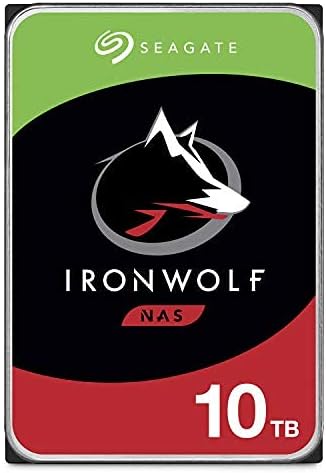
IronWolf 10TB brings balanced performance at an attractive price point for mid-range NAS users. Optimized with AgileArray, it handles RAID workloads efficiently while delivering reliable sustained transfer speeds.
We may earn a commission when you buy through this link, at no additional cost to you.
The 7200 RPM and 256MB cache support multi-user access up to 180TB/year. RV sensors minimize vibration in multi-drive bays, ensuring smooth operation even with several disks running simultaneously.
Included Rescue Services add significant value for critical data protection. Though not as rugged as Pro models, it strikes a fine balance between cost and reliability for typical home or small business arrays.
Buy this for general NAS use needing speed and capacity. It delivers strong performance without the premium price, making it a versatile choice for expanding your storage array.
AgileArray with dual-plane balancing optimizes drive performance specifically for RAID environments and multi-user scenarios.
210MB/s sustained data transfer ensures quick access to large files during intensive read and write operations.
We may earn a commission when you buy through this link, at no additional cost to you.
This older IronWolf model remains a solid choice for small NAS setups needing reliable storage. It supports up to 8-bay environments with optimized performance for shared access and file transfers.
We may earn a commission when you buy through this link, at no additional cost to you.
The 256MB cache and 7200 RPM deliver consistent speeds suitable for regular workflows. Health Management integration allows proactive monitoring, helping prevent downtime through early detection of potential issues.
While slightly lower rated than newer versions, it remains effective for general use. The included warranty adds peace of mind, though newer models may offer better long-term support and features.
Buy this for budget-friendly NAS expansion. It delivers core RAID performance without unnecessary costs, making it ideal for users prioritizing functionality over cutting-edge specs.
Built for NAS enclosures, this drive minimizes noise and lag while maximizing file-sharing efficiency for multiple users.
Integrated Health Management system provides real-time insights to help maintain optimal drive performance and longevity.
We may earn a commission when you buy through this link, at no additional cost to you.
This CMR IronWolf variant provides reliable performance for NAS RAID arrays without SMR limitations. With 10TB capacity, it meets the storage needs of most households and small businesses effectively.
We may earn a commission when you buy through this link, at no additional cost to you.
Optimized for 8-bay environments, it offers stable speeds and minimal vibration even in multi-drive setups. The integrated Health Management helps users stay informed about drive conditions and potential risks.
The 3-year limited warranty provides essential coverage for most use cases. It delivers consistent performance with low noise, making it suitable for quiet offices or home environments with sensitive users.
Buy this for dependable NAS storage. It balances capacity, reliability, and cost while offering the necessary RAID optimization for smooth and efficient data management.
CMR technology avoids SMR performance penalties, ensuring consistent write speeds essential for RAID and multi-user setups.
Purpose-built for NAS enclosures with minimal noise and vibration suitable for quiet home or office environments.
We may earn a commission when you buy through this link, at no additional cost to you.
The Red Plus 14TB offers a large capacity option with energy-efficient performance suited for passive RAID builds. Its 5400 RPM class reduces power draw while maintaining steady throughput for everyday storage needs.
We may earn a commission when you buy through this link, at no additional cost to you.
CMR technology ensures reliable sustained writes without the drawbacks of SMR in RAID setups. With NASware firmware, it ensures compatibility across various enclosures, supporting up to 8 bays effectively.
Though not ideal for high-performance tasks, it excels at archival or backup arrays. The 180TB/year workload rating suits small to medium business environments where consistent storage matters more than peak speed.
Buy this for power-conscious NAS users needing space. It provides ample capacity and stability without high power consumption, making it ideal for always-on environments focused on retention over speed.
5400RPM performance class ensures reduced power consumption ideal for 24×7 NAS operations with lower operating costs.
NASware firmware delivers compatibility with small and medium business NAS systems ensuring reliable continuous operation.
We may earn a commission when you buy through this link, at no additional cost to you.
Selecting the right drive for RAID 0 requires balancing speed, reliability, and capacity to meet your workload needs without overspending.
Workload rating defines annual data transfer capacity in TB. For RAID 0, choose drives rated for your expected data flow to prevent early failure under continuous stress.
Always match workload ratings to your usage patterns, ensuring long-term reliability and consistent performance.
CMR drives offer consistent sustained write speeds essential for RAID. SMR drives can cause performance degradation when rewriting data, which is risky in stripe configurations.
Always verify CMR technology before purchasing to avoid compatibility issues and performance drops.
Cache size buffers data transfers to improve speed. Larger cache improves burst performance and multitasking efficiency during heavy read-write operations.
Select drives with 256MB or more cache for optimal RAID 0 throughput and responsiveness.
RAID 0 doubles capacity but increases failure risk. Ensure each drive in the stripe offers enough space for your data while matching performance across disks.
Choose drives with consistent capacity and specs to maintain balanced array performance and simplify recovery.
Rotational Vibration (RV) sensors reduce interference in multi-bay setups. They stabilize drive performance when multiple disks operate simultaneously in tight chassis spaces.
Prioritize drives with RV sensors for stable operation in multi-drive NAS enclosures or arrays.
Longer warranties reduce long-term ownership costs. Look for 3-year or 5-year plans with data recovery services for added security.
Choose drives with comprehensive warranty support to minimize downtime and protect valuable data.
Verify that drives match your RAID controller's interface and power requirements. Incompatibility can lead to performance loss or failure to initialize.
Confirm firmware support and controller compatibility before deployment to avoid setup complications.
Higher RPM drives consume more power and generate heat. Evaluate your cooling and power supply limits before selecting performance-oriented models.
Choose energy-efficient drives for 24×7 operation to reduce costs and thermal stress over time.
Begin by ensuring your RAID controller supports all drive models evenly. Mismatched drives can cause instability, so use identical capacity and specs for reliable striping.
Set up power management carefully to avoid frequent spin-downs that stress mechanical components. For 24×7 operation, keep drives in constant use to maintain consistent performance.
Monitor drive health regularly using built-in tools or third-party utilities. Early detection of bad sectors or thermal issues helps prevent sudden array failure.
RAID 0 offers speed but no redundancy. If one drive fails, all data is lost. It is best for temporary or easily replaceable workloads rather than critical files.
Not all drives are optimized for RAID. NAS or enterprise drives provide better stability and warranty coverage. Consumer drives may fail under continuous RAID workloads.
Choose a workload rating that matches your annual data transfer. Overloading drives shortens lifespan; aim for at least 180TB/year for intensive use.
CMR ensures consistent write speeds necessary for RAID. SMR may slow down when rewriting data, affecting performance and stability in stripe arrays.
Mixing brands is discouraged due to potential firmware or compatibility issues. Use identical models for consistent behavior and simplified troubleshooting.
Because RAID 0 has no redundancy, external backups are essential. Regular backups ensure data recovery if a drive fails unexpectedly.
RV sensors reduce vibration noise from neighboring drives. This improves stability in multi-bay setups, preventing performance drops and premature wear.
Larger cache improves burst performance and multitasking efficiency. For RAID 0, 256MB or more cache ensures smoother high-speed transfers.
The Seagate IronWolf Pro 16TB leads our list for its balance of capacity, performance, and reliability. It suits professionals needing massive storage without sacrificing RAID optimization or data safety.
For budget builds, the Seagate BarraCuda offers great value, while the WD Ultrastar caters to enterprise demands. Prioritize CMR drives and strong warranties to protect your data investment.
Always verify current pricing and availability before purchase to ensure the best deal for your setup. Choosing the right drive ensures your RAID 0 array delivers speed and stability for years to come.