
AI Drawing Projector for Kids
4.4Editor score
AI image generation
Built-in speaker audio
Corded power only
Compare the top AI Drawing Projector models for kids and artists. This guide reviews features, AI capabilities, and ease of use to help you choose the right
Finding the right AI Drawing Projector can transform how children and adults approach creativity. These devices use advanced technology to project images onto paper, making tracing and drawing accessible for everyone regardless of skill level.
We analyzed ten leading models based on AI features, ease of use, and image quality. Our comparison covers everything from budget-friendly options for kids to professional-grade projectors for serious artists.
Each pick highlights key strengths and potential drawbacks to help you decide. Prices and availability can change quickly, so verify current details before purchasing to ensure you get the best value.
4.4Editor score

4.8Editor score

4.0Editor score
This side-by-side comparison highlights key specifications for all ten models reviewed. Use this table to quickly identify which projector meets your specific needs for age group and artistic style.




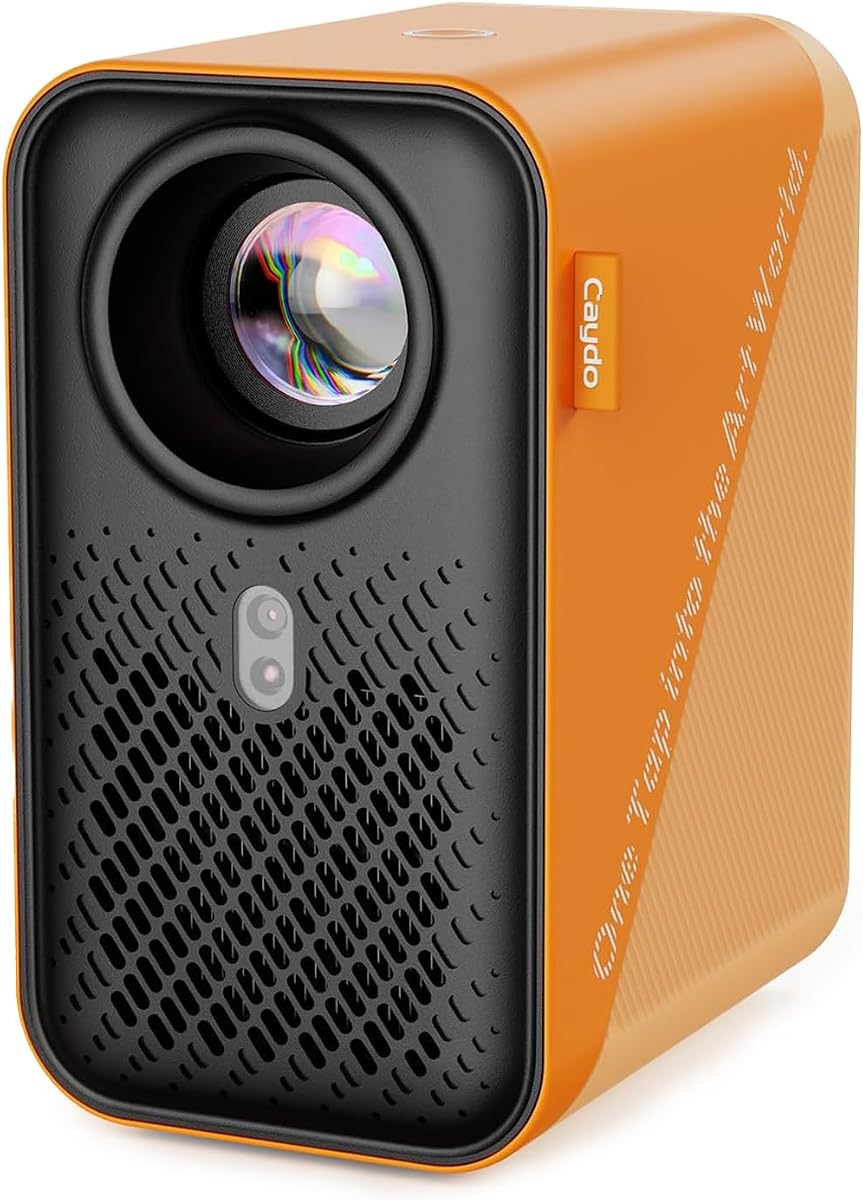

This AI Drawing Projector for Kids offers an affordable entry into creative play. With a solid 4.4 rating, it brings imagination to life by turning typed ideas into traceable outlines.
We may earn a commission when you buy through this link, at no additional cost to you.
The device transforms photos of pets or family into art projects kids can trace. It includes 50 built-in pictures and learning packs that speak numbers and words during use.
While it lacks a battery and must remain plugged in, this ensures consistent performance without recharge delays. The focus on safety and simplicity makes it ideal for younger artists.
Families seeking a budget-friendly gift that combines art and education will find this model excellent. It encourages creativity while providing structured learning opportunities through sound and visuals.
Type any idea like a dancing dragon and watch the AI generate a custom picture to project and trace on paper.
Learning packs include built-in speakers that say numbers and English words as matching pictures appear on the screen.
We may earn a commission when you buy through this link, at no additional cost to you.
The Caydo T3 Joy holds a remarkable 4.8 rating for its balance of safety and creative freedom. It features SGS certified eye protection, shining light down onto paper instead of at eyes.
We may earn a commission when you buy through this link, at no additional cost to you.
Kids can choose from 120 built-in patterns across themes like animals and space. The step-by-step drawing guidance helps beginners build confidence without feeling lost or frustrated.
The Caydo App unlocks endless possibilities by turning photos or typed ideas into clean outlines. An adjustable timer encourages healthy breaks during creative sessions.
This model stands out as the top choice for families prioritizing safety and ease of use. Its engaging design and robust features make it a gift that keeps on giving.
RG0 certified blue light safety ensures comfortable screen-free creative play by projecting images onto the table surface.
Connect the Caydo App to transform personal photos into traceable outlines instantly for truly personalized art projects.
We may earn a commission when you buy through this link, at no additional cost to you.
The Caydo T3 Drawing Projector boasts a 4.6 rating thanks to its multi-functional design. It projects at native 720P, offering clear outlines that are perfect for tracing on paper.
We may earn a commission when you buy through this link, at no additional cost to you.
Beyond drawing, this device works as a streaming movie player and music speaker with WiFi and Bluetooth connectivity. Auto brightness adjusts to any room lighting condition day or night.
Parents can set timers to remind kids to take breaks while the safe light design protects their eyes from direct projection. This makes it a versatile tool for both art and entertainment.
Ideal for families needing a device that grows with the child, this model combines drawing tools with media features. It ensures the device remains useful long after the initial drawing phase.
After drawing, switch to streaming cartoons on the wall or playing playlists for a dance party using built-in WiFi.
Light shines down onto paper away from eyes, providing a soft reflected image that avoids direct brightness.
We may earn a commission when you buy through this link, at no additional cost to you.
Designed for ages 10 and up, this device holds a 4.7 rating for its ability to handle realistic images. It allows users to describe a scene via voice or text to generate a traceable outline.
We may earn a commission when you buy through this link, at no additional cost to you.
Unlike simpler toy projectors, this model supports detailed sketches that build real drawing skills like proportion and confidence. Users can trace onto paper, canvas, fabric, and even cookies.
The smART Sketcher AI app works seamlessly to convert ideas into high-resolution outlines. It offers a unique voice input feature that makes generating ideas incredibly fast.
Teens and hobbyists looking for a tool that bridges digital creativity and hand art will appreciate this model. It fosters genuine skill development rather than just simple tracing activities.
Tell the free app what you want to draw by voice and the AI creates a clean outline instantly.
Trace designs onto various surfaces including fabric for custom t-shirts or cookies for unique decorations.
We may earn a commission when you buy through this link, at no additional cost to you.
This model stands out with a 4.5 rating for its web-based control system. It eliminates the need for app downloads by allowing control directly through a phone browser.
We may earn a commission when you buy through this link, at no additional cost to you.
Equipped with dual-band WiFi, it ensures a stable connection for mirroring intricate lines from your phone or tablet. It works flawlessly in studios or remote locations without internet access.
The adjustable stand allows for projection onto horizontal canvases, vertical walls, or small DIY crafts. This flexibility is crucial for artists working in different environments or spaces.
Creators who value workflow continuity will appreciate the offline capabilities. It ensures you can keep creating regardless of internet availability while maintaining precision in your work.
Simply scan the QR code to control projection settings and image rotation directly from your browser.
Designed to work offline so your creative workflow stays seamless even without Wi-Fi connectivity.
We may earn a commission when you buy through this link, at no additional cost to you.
With an upgraded 5G dual-band chip, this projector offers high-speed connectivity. It is FCC certified and designed to reduce latency for smooth real-time accuracy during tracing.
We may earn a commission when you buy through this link, at no additional cost to you.
Users can manage settings directly through their browser using the web control interface. A focus adjustment button helps fine-tune the focal length for sharp images.
The sturdy mount adapts to various workspaces from horizontal canvases to vertical walls. It is engineered for both online and local offline connections to support any environment.
While it has mixed reviews, the hardware upgrades make it a strong candidate for tech-savvy users. It aims to provide professional-grade tracing capabilities without the need for specific apps.
Equipped with 5G/2.4G dual-band chip for high-speed consistent connection reducing latency in standard models.
Manage projection settings and scaling operations directly through your phone browser without extra downloads.
We may earn a commission when you buy through this link, at no additional cost to you.
This projector delivers 250 ANSI lumens of brightness with accurate color and contrast. It has a 3.8 rating due to its high-end features targeting serious artists and professionals.
We may earn a commission when you buy through this link, at no additional cost to you.
The built-in drawing app includes intuitive tools like zoom and rotation for scaling reference images. It supports projection onto walls, ceilings, and tabletops without extra stands.
Advanced algorithms lock clarity quickly with auto focus and keystone correction. It also supports 4K video playback and a long lamp life for continuous use.
Artists needing precision and flexibility in their workflow will find this model valuable. While the user rating reflects mixed experiences, the hardware capabilities remain robust for detailed work.
Includes tools like 0–200% zoom, 360° rotation, and a 3×3 grid to help compose your reference image.
Advanced algorithms lock clarity quickly ensuring a sharp and perfectly proportioned image at all times.
We may earn a commission when you buy through this link, at no additional cost to you.
The Caydo P3 Art Projector delivers crisp vivid images even during the day with 400 ANSI lumens. It boasts a 4.0 rating for its ability to project reference photos with zero distortion.
We may earn a commission when you buy through this link, at no additional cost to you.
Users can select from three background colors and four unique artistic modes to adapt the tool to their style. The swivel base eliminates extra stand costs for easy setup.
It supports projection from 3.6 feet to 8.7 feet and includes a long lamp life. Advanced algorithms enable rapid auto focus that adjusts clarity in under 3 seconds.
This is the ideal choice for artists needing high precision and flexibility. Its brightness and resolution make it stand out as a premium tool for serious creative work.
With 400 ANSI lumens of brightness, this P3 art projector delivers crisp vivid images even during the day.
Select from Gridify, Sketchify, Comicize, and Monochromize to adapt the projector to your workflow.
We may earn a commission when you buy through this link, at no additional cost to you.
This model caters to painting enthusiasts and designers with its exclusive drawing app. It has a 3.8 rating reflecting its solid performance as a portable entertainment device.
We may earn a commission when you buy through this link, at no additional cost to you.
The sealed optical core prevents dust entry reducing screen black spots and image degradation. It includes zooming rotation and grid tools to make the artistic process smoother.
Users can transfer images via USB or QR code without needing an internet connection. It supports screen mirroring options like EShare and AirPlay for entertainment.
Artists looking for a compact and powerful device will find this useful. It balances drawing functions with HD video playback capabilities for versatile home use.
The fully sealed optical core prevents dust entry reducing screen black spots and image degradation.
Select from Gridify, Sketchify, Comicize, and Monochromize to adapt the projector to your style.
We may earn a commission when you buy through this link, at no additional cost to you.
This drawing projector is designed for flexibility with online and offline direct connection modes. It has a 3.7 rating as it offers a solid entry-level tool for various creative projects.
We may earn a commission when you buy through this link, at no additional cost to you.
The web-based control allows you to manage rotation and settings directly through your browser. A focus adjustment button helps achieve clarity on any surface you choose.
It provides a wobble-free experience and allows you to customize the height and projection angle. It works well for architectural sketches or cookie decorating tasks.
Whether in a studio or on location, this device keeps your workflow uninterrupted. It is a good option for those seeking a reliable and versatile tool.
Scan the QR code to access the control panel and manage rotation and settings directly through your browser.
Equipped with an intuitive focus adjustment button and a sturdy adjustable stand for clarity on any surface.
We may earn a commission when you buy through this link, at no additional cost to you.
Choosing the right AI Drawing Projector requires understanding key features that affect your creative experience. We explore the most important factors to consider before purchasing.
AI capabilities allow you to generate custom outlines from text or photos. Look for models that support voice or text input to expand your creative options.
Prioritize devices with robust AI apps that offer endless content rather than just pre-set images.
Some models are designed for young children with simpler interfaces and safe lights. Others cater to teens and adults with detailed features and higher resolution.
Choose a model that matches the user's skill level and age to ensure a positive experience.
Safety features such as eye protection are crucial for children. Look for SGS certification and downward projection to avoid direct light exposure.
Ensure the device has timers and safe light modes to protect user health during long sessions.
Connectivity options like WiFi and Bluetooth allow for flexible content sharing and audio use. Dual-band WiFi ensures faster and more stable connections.
Consider if you need offline modes or web-based controls to work without an internet connection.
Resolution quality determines how sharp and clear your traced images will be. Higher resolution like 1080P is better for detailed artwork.
Lower resolution is acceptable for kids but professionals should aim for native high-definition outputs.
Power source impacts portability. Some devices require a constant power connection while others use rechargeable batteries.
Check if the device needs a wall adapter or supports portable power banks for flexibility.
Versatility refers to the surfaces the projector can handle like walls or fabrics. Adjustable stands allow for multiple projection angles.
Select a projector that can adapt to your specific workspace and project types.
Ease of use is vital for avoiding frustration. Features like auto-focus and simple controls make the process smoother.
Opt for models with intuitive interfaces that require minimal setup to start drawing.
To start using your AI Drawing Projector, connect it to a power source and turn it on. Place your paper on a flat surface directly under the lens to begin tracing.
Adjust the focus and position the device so the image is clear. Use your phone browser or app to select images or type in ideas.
Keep the projector clean by wiping the lens with a soft cloth. Store it in a cool dry place to extend its lifespan and maintain performance.
The best age group depends on the model. Younger kids around 4 to 12 years old benefit from simple designs with safe lights. Teens and adults prefer models with detailed resolution and advanced AI features.
Some models work offline with built-in images. Others require an internet connection for AI features. Always check if the device supports offline modes before purchasing.
Yes, many are designed with eye safety in mind. Look for models with downward projection and SGS certified RG0 safety to avoid harmful light exposure.
Most modern AI Drawing Projectors allow you to upload personal photos. The AI converts them into traceable outlines for you to copy on paper.
You can project onto paper, walls, canvases, and even fabrics. Adjustable stands help you position the image correctly on different surfaces.
Most devices require a constant power connection or USB power. Some newer models may have battery options, but check the product details.
Many models offer web-based or app control. This allows you to adjust settings directly from your phone without needing a physical remote.
Keep the lens clean by wiping it with a soft cloth. Avoid touching the glass with your fingers to prevent smudges and damage.
We reviewed ten top AI Drawing Projectors suitable for kids and artists. Our top picks include budget-friendly options for children and premium tools for professionals.
Prioritize safety features and AI capabilities when making your choice. Ensure the model fits your specific needs regarding resolution and connectivity.
Prices and availability can change frequently. Always check current details before purchasing to ensure you get the best value for your money.