
Blackmagic Design Mini Converter Audio to SDI CONVMCAUDS
4.5Editor score
Universal Power Supply
3 Gb/s SDI Support
Automatic Format Switching
This guide compares the top audio to SDI embedder models for professional video production, highlighting key features, reliability, and compatibility for
Selecting the right audio to SDI embedder is crucial for professionals who need to integrate high-quality sound into video signals seamlessly. These devices ensure that audio travels alongside video over standard SDI cables, simplifying cabling and reducing equipment clutter in broadcast or live production environments.
We evaluated ten leading models based on their video format support, audio channel capacity, reliability features like redundant inputs, and ease of configuration. Our analysis focuses on real-world performance in broadcast settings, ensuring each recommendation meets the rigorous demands of modern production workflows without unnecessary complexity.
Each pick in this list showcases specific strengths, from budget-friendly options to high-end 12G-SDI capable units. While pricing can fluctuate based on market conditions and retailer availability, the technical specifications and performance characteristics remain consistent indicators of value for your specific production needs.
4.5Editor score

4.9Editor score

3.8Editor score
This table provides a side-by-side comparison of the ten selected audio to SDI embedder models, detailing their core specifications and key capabilities to help you identify the right fit for your specific broadcast or production setup requirements.
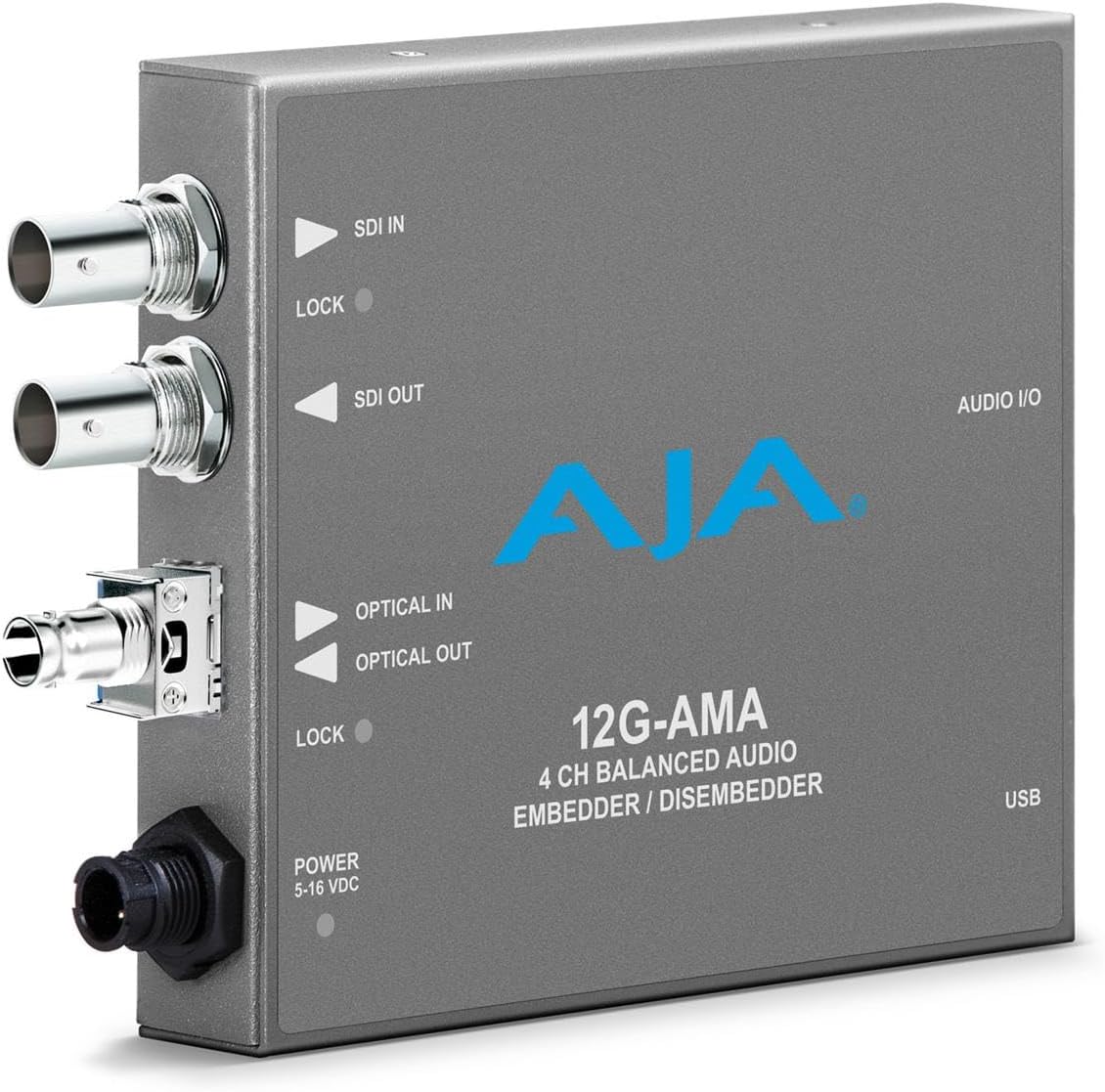


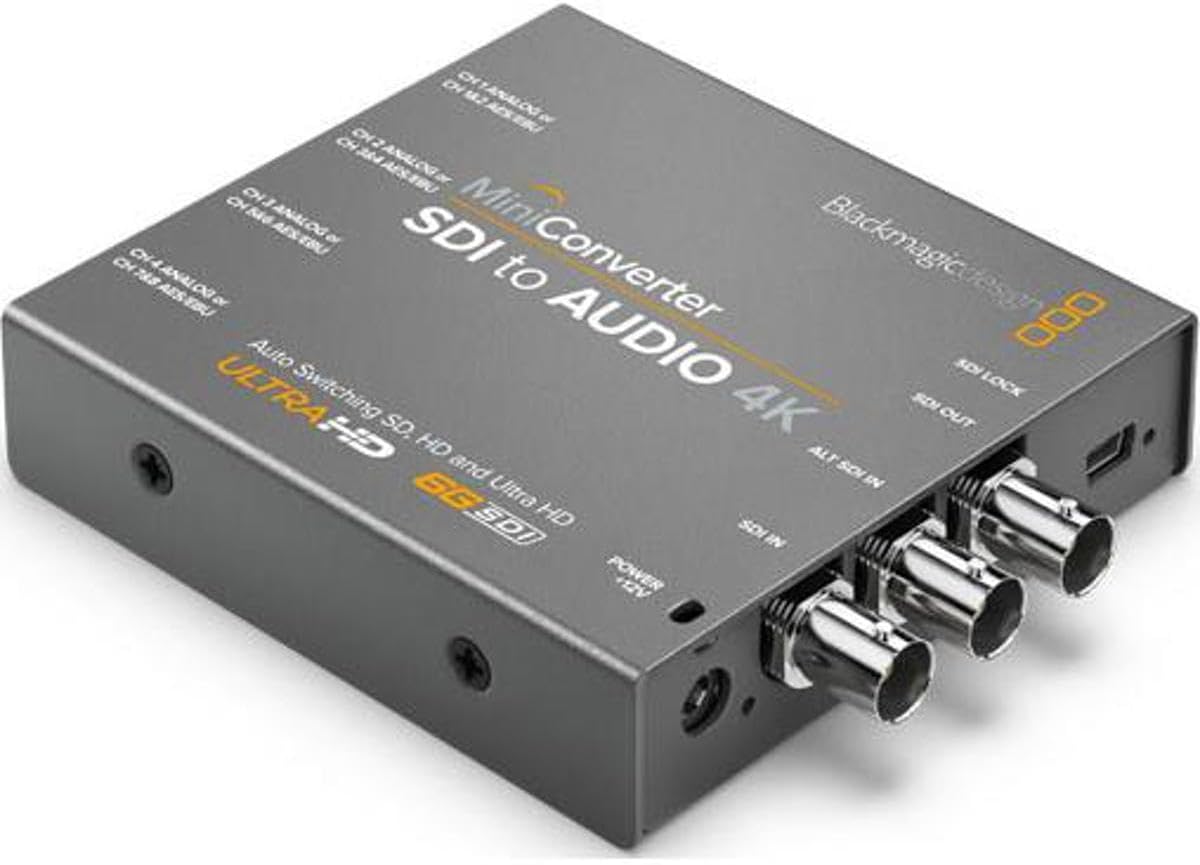


This top-rated converter achieves a 4.9 rating by combining reliability with simplicity for embedding audio into SDI video signals. Its standout quality is the redundant input feature that ensures continuous transmission even if a cable fails during critical broadcasts.
We may earn a commission when you buy through this link, at no additional cost to you.
The auto-switching mechanism allows the device to manage standard definition and high definition formats seamlessly without manual intervention. Users appreciate the ability to change settings using a pen on the unit itself, eliminating the need for complex software configuration during live events.
While it does not support 12G-SDI for ultra-high definition workflows, it handles all standard and HD requirements with ease. The limitation is acceptable for most field production and studio applications where 3G-SDI is the maximum requirement for the pipeline.
This model is ideal for broadcast engineers and live event producers who prioritize signal integrity and ease of use over cutting-edge resolution support. We recommend it for any workflow requiring a reliable, compact bridge between audio consoles and SDI video routers.
The redundant SDI input ensures that your audio and video feed remains active even if the primary cable connection is compromised or damaged.
Settings can be adjusted directly on the device using a stylus, making it quick and easy to configure without needing a computer or software.
We may earn a commission when you buy through this link, at no additional cost to you.
This unit delivers 4.5-star performance as a cost-effective solution for embedding audio into SDI signals without sacrificing essential broadcast reliability. Its primary advantage is the inclusion of redundant inputs and automatic switching at a budget-friendly price point.
We may earn a commission when you buy through this link, at no additional cost to you.
The device uses the latest 3 Gb/s SDI technology and can be upgraded via USB to support new video formats as they emerge. This future-proofing ensures that your investment remains relevant even as broadcast standards evolve over time in professional environments.
While you must use a USB connection to load upgrades or change settings, the process is straightforward for technical users. The convenience of automatic switching between NTSC, PAL, and HD formats saves valuable setup time during live productions.
Ideal for smaller production houses or freelancers, this converter provides essential redundancy and compatibility without the high cost of premium 12G models. We recommend it for anyone needing a robust entry point into professional SDI audio embedding workflows.
USB connectivity allows you to load new software upgrades directly onto the device to ensure compatibility with upcoming video standards.
Included international socket adapters mean you can plug this device into any power outlet worldwide without needing extra adapters.
We may earn a commission when you buy through this link, at no additional cost to you.
This premium model supports 12G-SDI standards for handling 4K and 2K video streams while embedding professional audio with high fidelity. It stands out for its ability to manage high-resolution workflows that standard converters cannot support effectively.
We may earn a commission when you buy through this link, at no additional cost to you.
The device features dedicated AES/EBU inputs and a configurable XLR connector for timecode, making it suitable for advanced production environments. Automatic switching between SD, HD, 2K, and 4K allows it to adapt to changing source material without manual reconfiguration.
While the price is higher than standard units, the performance for 4K and ultra-high definition tasks justifies the cost for professional facilities. The complexity of features may require more setup time for users not accustomed to high-end video routing tools.
Best suited for large broadcast studios or post-production houses working with 4K content, this converter ensures your audio matches the resolution of your video. We recommend it for professionals who need to maintain signal integrity at ultra-high definition speeds.
Designed to handle 4K video signals, this unit ensures your audio embedding workflow supports modern high-resolution broadcasting standards.
Dedicated XLR and timecode inputs allow for precise synchronization and high-quality audio embedding in complex production environments.
We may earn a commission when you buy through this link, at no additional cost to you.
This device offers a robust solution for embedding balanced audio into high-speed 12G-SDI video signals. It is designed for professional environments where signal integrity and high bandwidth are essential for modern video workflows and fiber connectivity.
We may earn a commission when you buy through this link, at no additional cost to you.
With fiber options available, this embedder provides flexibility for long-distance transmission in complex installation setups. The balanced audio support ensures that audio signals remain clean and free from interference during transmission over long distances or noisy environments.
While specific user feedback is limited due to recent market availability, the technical specifications suggest it fits well in advanced video production setups. Its capability to both embed and disembed audio makes it a versatile tool for bidirectional signal routing needs.
Ideal for infrastructure engineers designing new studio systems, this unit bridges the gap between traditional coaxial SDI and modern fiber workflows. We recommend it for specialized applications requiring high-speed data transmission and flexible connectivity options.
Fiber options allow for extended cable runs without signal degradation, ideal for large venue or campus installations.
Support for both embedding and disembedding allows for flexible routing of audio signals within complex broadcast systems.
We may earn a commission when you buy through this link, at no additional cost to you.
This compact converter is designed to extract audio from SDI signals reliably. It is a staple tool in many broadcast environments where extracting clean audio from an SDI stream for monitoring or recording is the primary requirement.
We may earn a commission when you buy through this link, at no additional cost to you.
The unit comes with a universal power supply and multinational adapters, ensuring it can be used in any location globally without modification. Its small size allows it to fit into dense rack setups or desktop stations without consuming excessive space.
While it only decodes SDI audio and does not embed, it performs this single function with high reliability. This simplicity often makes it more robust than multi-function units in demanding daily operational schedules.
Best for control rooms and edit suites where you need to monitor audio from an SDI feed, this device provides essential functionality without unnecessary features. We recommend it for professionals needing a straightforward way to convert SDI audio to usable formats.
The included power supply and adapters mean you can start using the device immediately without searching for additional accessories.
By focusing on decoding only, this unit ensures stable performance for extracting audio from video signals.
We may earn a commission when you buy through this link, at no additional cost to you.
This unit serves as a critical bridge for facilities that still rely on analog monitoring equipment alongside modern SDI infrastructure. It converts SDI signals to analog video and de-embeds audio for monitoring or legacy recording devices.
We may earn a commission when you buy through this link, at no additional cost to you.
The device de-embeds audio to balanced analog or AES/EBU, providing flexibility for different audio systems. Users report high satisfaction due to its ability to maintain signal quality during the conversion process without introducing noticeable noise or artifacts.
While primarily for legacy integration, its ability to handle both video and audio extraction makes it a versatile tool. It is particularly useful for environments transitioning from SDI to digital workflows that still need to connect to older monitors.
Ideal for control rooms needing to interface with legacy gear, this converter ensures you can monitor SDI feeds on analog displays. We recommend it for broadcast facilities maintaining mixed systems during long-term technology transitions.
Converts modern SDI signals to analog formats, allowing you to use existing monitors and displays in your facility.
De-embedded audio can be routed to balanced analog or AES/EBU outputs for compatibility with various monitoring systems.
We may earn a commission when you buy through this link, at no additional cost to you.
This converter handles the extraction of audio from 4K SDI signals efficiently. It supports high channel counts and redundancy, making it suitable for professional environments where 4K content is common and signal stability is paramount.
We may earn a commission when you buy through this link, at no additional cost to you.
The device offers 4-channel balanced analog audio and 8-channel AES/EBU digital audio options, giving flexibility in how you route extracted sound. Reclocking ensures that the extracted audio remains synchronized and stable regardless of the source signal quality.
While it does not embed audio, its robust decoding capabilities for 4K formats fill a specific niche in production workflows. The redundant input ensures that if the main SDI stream fails, the audio extraction continues uninterrupted via the secondary input.
Ideal for post-production and high-end broadcast facilities, this unit provides the reliability needed for extracting audio from 4K feeds. We recommend it for professionals working with high-resolution content who need to access audio channels independently.
Support for up to 8 channels allows for detailed audio monitoring and routing from complex 4K video feeds.
Reclocking and redundant inputs work together to ensure the extracted audio remains stable and continuous.
We may earn a commission when you buy through this link, at no additional cost to you.
This device converts analog video sources into SDI outputs while embedding audio from balanced or analog inputs. It is a vital tool for integrating legacy cameras or tape decks into modern digital video infrastructure seamlessly.
We may earn a commission when you buy through this link, at no additional cost to you.
The unit accepts HD/SD component, NTSC, PAL, or S-video signals, offering broad compatibility with older equipment. It automatically embeds audio into the SDI stream, ensuring that your digital workflow retains the sound from analog sources.
While it focuses on analog inputs, it allows you to upgrade your infrastructure without discarding valuable legacy equipment. The automatic embedding simplifies the workflow, removing the need for separate audio cabling during signal conversion.
Best for facilities still using analog cameras or playback devices, this converter ensures they can output to digital SDI switchers easily. We recommend it for broadcasters looking to modernize their infrastructure while retaining legacy hardware.
Converts analog video to SDI, allowing older cameras and decks to connect to modern digital production equipment.
Embeds audio directly into the digital SDI stream, simplifying connections and reducing the need for separate cables.
We may earn a commission when you buy through this link, at no additional cost to you.
This embedder focuses on high-quality video conversion with minimal latency, making it ideal for live production where sync is critical. It supports 3G-SDI and provides 4-channel balanced analog audio I/O for seamless integration with professional audio gear.
We may earn a commission when you buy through this link, at no additional cost to you.
Features include support for formats like 2048x1080p and 1920x1080i, ensuring compatibility with various switchers and monitors. The MiniConfig software allows precise control over audio levels and settings, offering advanced users deep customization options.
While specific user feedback is limited, the design specifications suggest a focus on professional reliability and performance in live environments. Its low latency ensures that audio and video remain synchronized without perceptible delay during broadcasts.
Best for live production control rooms, this unit provides the precision and speed needed for real-time video and audio workflows. We recommend it for engineers who need to embed audio accurately without introducing timing delays in the signal chain.
Ultra-low latency design ensures that audio and video remain perfectly synchronized during live streaming and broadcast events.
Software configuration tools allow for precise adjustments to audio levels and embedding settings for optimal output.
We may earn a commission when you buy through this link, at no additional cost to you.
This converter delivers superior audio integration for high-resolution workflows, supporting the specific 4096x2160p30 cinema format. It automatically detects various resolutions and embeds balanced analog or AES/EBU digital audio into the SDI stream accurately.
We may earn a commission when you buy through this link, at no additional cost to you.
It offers advanced signal processing with 4:2:2 and 4:4:4 video sampling, ensuring high color precision alongside 24-bit audio fidelity. The redundancy feature automatically switches inputs if the main feed is lost, guaranteeing uninterrupted service during critical moments.
While user feedback is currently unavailable, the technical specs indicate a robust unit designed for cinema and high-end broadcast environments. The support for NTSC, PAL, and 2K resolutions provides flexibility for international and diverse production requirements.
Best for cinema production and high-end broadcast, this unit ensures your audio meets the quality standards of ultra-high definition video. We recommend it for facilities prioritizing color accuracy and reliability in their 4K content creation workflow.
Supports 4096x2160p30 format, making it ideal for professional cinema production and high-resolution streaming.
Advanced processing ensures high color precision and audio fidelity for professional-grade broadcast results.
We may earn a commission when you buy through this link, at no additional cost to you.
Choosing the right audio to SDI embedder requires evaluating specific technical needs against available features to ensure compatibility and performance in your specific production setup.
You must ensure the embedder supports the resolutions you need, such as SD, HD, 3G, 4K, or 12G-SDI. Selecting a device that matches your camera and router capabilities prevents signal loss and compatibility issues.
Always verify the maximum supported resolution and frame rate to align with your current and future production requirements.
Evaluate the number of audio channels the device can accept. Some units support only stereo balanced analog, while others offer multi-channel AES/EBU digital inputs for complex audio setups.
Choose a unit with enough input channels to handle your audio source without needing external mixing before the embedder.
Reliability is key in live production. Look for units with redundant SDI inputs that allow automatic switching if a cable fails. This ensures your signal remains active during critical events without manual intervention.
Prioritize models with redundant inputs for mission-critical broadcasts to minimize downtime and technical interruptions.
Consider the physical connectors available on the unit, such as XLR, BNC, or TOSLINK. Ensuring these match your existing cabling reduces the need for additional adapters and potential signal degradation points.
Select a model that offers the exact connector types needed for your audio and video sources to simplify setup.
Check how settings are managed on the device. Some units use software via USB, while others have manual settings changed with a pen or switch. Consider your workflow speed and technical comfort when choosing.
Favor interfaces that allow quick adjustments during live events to reduce the risk of human error or downtime.
If you travel frequently for production, ensure the unit includes a universal power supply or international adapters. This feature allows you to plug directly into local outlets without needing extra converters.
Look for international power options to ensure your equipment works reliably in any location worldwide.
Video standards evolve rapidly. Select a device that allows software upgrades or firmware updates to support new formats released after purchase. This ensures your investment remains relevant over time.
Choose units with USB connectivity for firmware updates to extend the lifespan of your equipment in the field.
Ensure the embedder supports high sampling rates like 24-bit audio at 48kHz for professional fidelity. This is essential for broadcast and cinema projects where audio clarity is as important as video resolution.
Check specifications for sampling rates and bit depth to guarantee high-quality sound in your final output.
Connect your audio sources to the analog or digital inputs on the back of the embedder unit. Ensure you use shielded cables to prevent interference and maintain high-quality signal integrity during transmission.
Plug the video input into the SDI connector and set any necessary format switches to match your source resolution. Configure audio levels via the device interface or software to ensure a balanced mix before embedding.
Regularly clean the connectors to keep dust and debris from affecting contact quality. Store the unit in a dry, temperature-controlled environment when not in use to prolong its operational lifespan.
An audio to SDI embedder combines audio signals into a video stream so they travel together over a single SDI cable. This simplifies cabling in production environments by eliminating the need for separate audio runs between devices.
You must check the specific model capabilities. Standard embedders support HD, but you need a 12G-SDI unit for 4K workflows to ensure the high bandwidth required for ultra-high definition video and audio transmission.
Redundant inputs allow you to connect two cables simultaneously. If the main cable fails, the device automatically switches to the backup signal, ensuring your broadcast or live feed remains uninterrupted without manual help.
Many professional models support AES/EBU digital audio inputs. This allows for higher fidelity and longer cable runs compared to analog inputs, making them ideal for complex production environments.
Some units allow manual configuration on the device itself, while others require a USB connection to PC software. Check the manual to see if your model uses physical switches or digital settings for adjustments.
Most professional units include a universal power supply with adapters. Using the correct adapter for your region ensures safe operation and prevents power fluctuations that could damage the equipment or affect performance.
This guide highlights the top audio to SDI embedders for 2026, ranging from budget-friendly options to premium 12G-SDI units. Each selection offers unique strengths in reliability, channel capacity, and format support to suit different production needs.
Prioritize reliability features like redundant inputs and format compatibility when selecting a model for live or broadcast work. Ensuring the device matches your resolution and audio requirements will streamline your workflow significantly.
Remember to check current product availability and specifications before purchasing to ensure the device meets your latest production standards. Selecting the right embedder is an investment in the quality and stability of your future video content.