
LED Busy Light Status Indicator
4.5Editor score
Simple touch controls
Adjustable brightness
Compact design
Easy charging
This guide compares the top busy lights for office use to help you choose the best availability indicator for improving communication and reducing workplace
In modern workplaces, communication clarity is essential for maintaining productivity. Busy lights for office environments serve as visual cues that signal availability to colleagues. These devices help prevent unnecessary interruptions during deep work or meetings.
We have evaluated a wide range of availability indicators based on features, compatibility, and ease of use. Our selection includes models that integrate with popular platforms as well as standalone options. Each product was assessed for reliability and design quality.
Each pick highlights key benefits and considerations to help you make an informed decision. Please note that product availability and details may change over time. Checking current listings ensures you find the most accurate information for your needs.
4.5Editor score

4.3Editor score
4.2Editor score
The following table provides a side-by-side comparison of all selected products. It highlights key specifications and features to help you quickly identify the model that best fits your office setup and communication needs.


This Clip Busy Light Standard offers a straightforward solution for indicating availability in busy office environments. With a rating of 4.4, it stands out for its simplicity and effectiveness. The tall tube design ensures that colleagues can easily see your status from a distance.
We may earn a commission when you buy through this link, at no additional cost to you.
The device uses a standard USB connection with a 59-inch cable, providing flexibility in placement. Red indicates busy status while green signals availability. The metal clip allows you to attach it securely to monitors or walls without drilling holes.
While it lacks advanced software integration, its manual operation is a strength for users who prefer simplicity. The long cable ensures it can reach outlets even if your desk is far from a power source. This makes it a reliable tool for deep work sessions.
Anyone looking for a no-fuss way to reduce interruptions will find this light useful. It is particularly effective in open office layouts where visual cues are essential. We recommend it for teams needing an immediate and clear availability signal.
The metal clip design fits many monitor thicknesses allowing quick setup without tools.
Setting the red light helps teammates know when you need uninterrupted focus time.
We may earn a commission when you buy through this link, at no additional cost to you.
The Kuando Busylight UC Omega is a robust choice for offices relying on unified communication platforms. Its 4.3 rating reflects strong performance in syncing with tools like Teams and Zoom. The free software ensures you can automate availability status without extra costs.
We may earn a commission when you buy through this link, at no additional cost to you.
This model includes a built-in ringer to alert you to incoming calls. The presence indicator changes color based on your status in the software. It is an ideal do not disturb light for ensuring colleagues know when you are in a call or meeting.
The requirement for software installation might be a hurdle for some IT environments. However, the flexibility it provides for automatic updates is worth the initial setup. The ring alert helps prevent missed calls even when you are not wearing a headset.
Teams using multiple UC platforms will appreciate the versatility of this device. It bridges the gap between digital status and physical presence effectively. We suggest it for users who need consistent visibility across different communication channels.
Supports most major UC platforms with free software to keep status automatic.
The ring alert ensures you hear incoming calls even if away from your desk.
We may earn a commission when you buy through this link, at no additional cost to you.
The Switch Pro 2 is designed specifically for hybrid teams managing meeting room availability. With a 4.2 rating, it excels in environments where software installation is restricted. The system works out of the box without needing Microsoft Teams or Zoom configuration.
We may earn a commission when you buy through this link, at no additional cost to you.
It uses Bluetooth 5.2 to connect an internal cube to an external indicator. You rotate the cube inside to change the light outside, signaling busy or available status. This wireless design ensures security restrictions do not block its functionality.
The premium price reflects its specialized use case for meeting rooms rather than desks. While limited to one room per system, the lack of admin approval makes it highly valuable. It offers a seamless way to manage interruptions during calls.
Organizations with strict IT policies will find this model particularly useful. It eliminates the need for complex setups while providing clear visual signals. We recommend it for conference rooms needing a reliable do not disturb sign.
Works without IT approval or software installation for secure office environments.
Color-coded indicators outside the room show status clearly to passersby.
We may earn a commission when you buy through this link, at no additional cost to you.
This version of the Clip Busy Light Standard reinforces its role as a reliable tool for focus. It operates similarly to the first model with manual red and green indicators. The inclusion of a warranty note suggests a focus on customer support and reliability.
We may earn a commission when you buy through this link, at no additional cost to you.
The 59-inch USB cable provides excellent flexibility for reaching power sources. This allows placement next to your PC or on the wall without cluttering your workspace. The green light can be manually set to indicate when you are idle.
While it lacks smart features, its simplicity is an asset for quick deployment. The metal clip ensures stability on most monitors. It is designed to promote deep work by building an efficient communication system visually.
If you need a durable indicator that works without software, this is a solid choice. The warranty support adds peace of mind for business purchases. We see this as a practical tool for individuals valuing uninterrupted concentration.
Built to withstand daily office use with strong clip attachments and long cable.
The red light signals that you should not be interrupted during important tasks.
We may earn a commission when you buy through this link, at no additional cost to you.
The USB Status Busylight VT delivers comprehensive sync capabilities for multiple platforms. It shows a 4.6 rating for effectively reducing interruptions through real-time availability. The free software ensures automatic color changes based on your calendar or call status.
We may earn a commission when you buy through this link, at no additional cost to you.
You can also tap the top to manually change colors if needed. The color rules are distinct with green for available and blue for incoming calls. This clarity helps team members quickly understand your status without asking.
Note that Cisco Jabber support is limited to Windows which may affect Mac users. However, the manual mode works universally via the Type-C connection. The rich color spectrum offers more detail than simple red and green options.
For offices using diverse tools like Teams and Zoom, this light bridges the gap well. The auto-sync feature is highly effective for maintaining focus during busy hours. We recommend it for users needing detailed status visualization.
Distinct colors like purple for do not disturb help avoid ambiguity.
USB-C interface ensures modern compatibility with various laptop ports.
We may earn a commission when you buy through this link, at no additional cost to you.
The Kuando Busylight UC Alpha offers a tall presence indicator suitable for desktops. It shares many features with the Omega model including free software for UC integration. The height ensures it remains visible even on crowded desks.
We may earn a commission when you buy through this link, at no additional cost to you.
Like other Kuando models, it includes a ring alert for incoming calls. The presence indicator helps avoid unnecessary interruptions by clearly showing availability. This is an ideal do not disturb light for traditional office layouts.
The software allows brightness control and volume adjustments for your comfort. While installation is required, the automation saves time in the long run. The built-in ringer ensures you do not miss calls when away from your headset.
This model is well suited for environments where software is permitted and integration is key. The taller design provides a distinct visual signal. We suggest it for teams using Microsoft Teams or Cisco Jabber extensively.
The tall design ensures the light is seen from across the room or desk.
Ringer feature helps you stay connected even when working away from your seat.
We may earn a commission when you buy through this link, at no additional cost to you.
The Embrava Blynclight Standard focuses on flexibility with adjustable color and brightness. It allows you to tailor the light to suit the theme of your office. The SDK allows integration with business applications for advanced workflows.
We may earn a commission when you buy through this link, at no additional cost to you.
It supports a variety of platforms including Teams and Skype. The flash alerts help you avoid missing incoming messages or calls. This is a strong option for those needing visual signals beyond simple status lights.
Some alerts are limited by the platform version which may restrict functionality. However, the customization options provide value for teams with specific needs. The bright LED ensures it is noticeable in various lighting conditions.
For organizations wanting to integrate custom signals into their workflow, this is ideal. The adjustability ensures it fits any office aesthetic. We recommend it for tech-forward teams looking for more than a basic indicator.
Adjustable brightness helps match the light to your office ambiance perfectly.
SDK support allows integration with proprietary apps for unique status signals.
We may earn a commission when you buy through this link, at no additional cost to you.
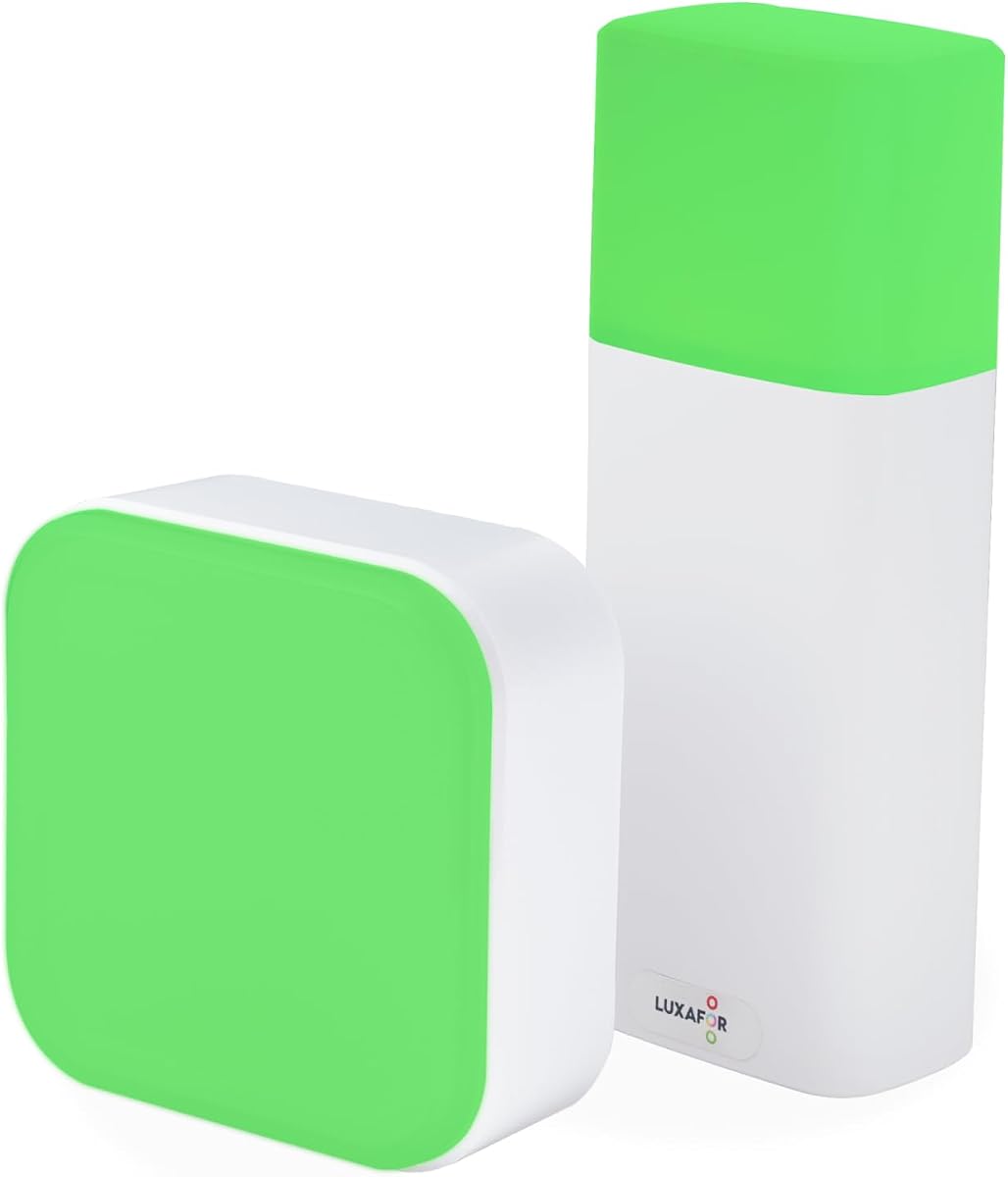
This LED Busy Light Status Indicator acts as a lamp and status sign combined. It allows touch control for changing colors and adjusting brightness. The stylish design fits well on home desks without looking like a generic office gadget.
We may earn a commission when you buy through this link, at no additional cost to you.
Green and red colors are used to signal availability. The dimmable feature ensures the light is not too bright for evening work. It supports Type-C charging for convenience with modern devices.
Since it lacks software integration, manual use is required. This may not suit those needing automatic sync but works well for simple setups. The compact design keeps your workspace tidy while maintaining clear communication.
For remote workers who value aesthetics and simplicity, this model is excellent. It doubles as a night light when not used for status. We suggest it for home offices where visual clutter is a concern.
Acts as both a status indicator and a stylish desk lamp for any room.
Touch buttons make switching between busy and available states quick and easy.
We may earn a commission when you buy through this link, at no additional cost to you.
This Busy Light for Office stands out with its cordless design and high 4.7 rating. It features a detachable magnetic base for easy placement on metal surfaces. The remote control offers convenient access to status changes.
We may earn a commission when you buy through this link, at no additional cost to you.
It functions as a desk lamp with natural light options for comfort. The battery life allows constant use for a day after charging. Water resistance adds durability for long term use in busy environments.
While it lacks deep software integration, the manual control is sufficient for many. The vibrant LED ensures clear signaling. This is a versatile tool for those needing mobility in their setup.
Ideal for desks where cables are unwanted, it offers clean aesthetics. The magnet makes mounting quick and damage free. We recommend it for users prioritizing flexibility and convenience.
No cords mean you can place it anywhere on your desk or shelf.
Water resistant construction protects against spills in active office areas.
We may earn a commission when you buy through this link, at no additional cost to you.
The Kuando Busylight Omega Plus offers a compact round shape for desks. It shares features with other Kuando models including software sync. The magnet kit allows it to attach to surfaces without cables or drilling.
We may earn a commission when you buy through this link, at no additional cost to you.
It provides a strong visual signal despite its small size. The presence indicator helps avoid interruptions by clearly showing availability. This is an ideal do not disturb light for smaller workspaces.
The ring alert feature ensures you hear calls. While simple, it covers the basics of availability effectively. The magnet kit provides installation versatility that cables cannot offer.
For teams needing a subtle but effective indicator, this model works well. The small footprint minimizes desk clutter while maximizing impact. We suggest it for shared desks or minimal work setups.
Small footprint keeps desk space clear while maintaining clear visibility.
Magnet kit allows easy placement without damaging surfaces or using cables.
We may earn a commission when you buy through this link, at no additional cost to you.
Selecting the right busy light depends on your workspace needs and existing tools. The following factors will help you narrow down the options to find the best fit.
If you rely heavily on tools like Microsoft Teams or Zoom, a model that auto-syncs is valuable. This ensures your status updates without manual input. Check compatibility with your specific platform to avoid issues.
Look for software that integrates well with your calendar and call status.
Consider whether you prefer wired or wireless options. Wired USB lights are simple to set up but may limit placement. Wireless models offer flexibility but might need charging or batteries.
Choose based on your desk setup and power availability.
Some lights come with clips or magnets for mounting. Others sit directly on the desk. Consider your workspace layout to determine which mounting style is most stable.
A secure mount ensures the light is visible to your team at all times.
Basic models use red and green while others offer more colors. More options allow for granular status signaling. Decide if you need just busy or available or if additional states help.
Select a range that matches your communication needs.
The light must be visible from across the room. Check for adjustable brightness to suit your office lighting. Too dim a light might be missed in bright areas.
Ensure the lamp is strong enough to be seen from a distance.
Some models include ringtones to alert you to calls. This is helpful if you do not always wear a headset. If missing calls is a concern, prioritize a device with audio alerts.
Ringers add a layer of communication beyond just visual status.
Office environments can be busy with potential spills or movement. Look for water-resistant or sturdy construction. A durable device saves costs over time.
Invest in materials that can withstand daily wear and tear.
The device should be intuitive for both you and your team. Complex setups may discourage adoption. Simple toggle or tap switches are often preferred for quick changes.
Prioritize simplicity to ensure consistent use across your office.
To set up your busy light, plug it into a USB port or connect the power adapter. Ensure the software is installed if required for automatic syncing. Place the device where it is clearly visible to colleagues.
Switch the status manually by tapping the top or using the remote. For software integrated models, your status updates automatically. Adjust brightness levels to suit your specific office lighting conditions.
Keep the device clean by wiping it with a dry cloth. If it has a water-resistant rating, avoid direct water exposure. Regular charging or power connection ensures it remains functional for long periods.
Some models work independently without software, while others require free apps for auto-syncing. Check the product description to see if your specific platform needs integration. If you prefer simple manual use, you can skip the software entirely.
Many of the selected models support Microsoft Teams through their companion software. Ensure you install the correct version for your operating system. Check the compatibility list provided with the product to confirm support.
Manual models usually require a tap on the top or a button press. Use the remote if your device includes one for easier access. The light color will change immediately to reflect your new status.
Most reputable brands include a warranty for defects and issues. Check the seller details or product page for specific terms. You can contact the seller directly for support if problems arise.
You can still use these lights in manual mode without any software. Simply set the color to indicate availability. They remain useful as visual cues even without automatic syncing.
Some models allow you to set schedules for turning on and off. Others remain on until manually switched off. Check the features list to see if automated timing is available.
Yes, they work well for home offices to signal availability to family members. Many have compact designs that fit residential desks. They help maintain professional boundaries while working remotely.
Specialized models like the Switch Pro 2 are designed for meeting rooms. However, standard desk models can also be placed outside doors. Wireless options offer the most flexibility for shared spaces.
We have reviewed ten top busy lights for office use to help you find the right fit. From simple indicators to advanced software-synced models, there is an option for every workspace. The Kuando Busylight UC Omega and Switch Pro 2 stand out for their integration and specialized features.
When choosing, consider how much automation you need and your budget. Manual lights are simple and effective while software models offer convenience. Prioritize visibility and compatibility to ensure the device serves its purpose well.
Please check current product details and listings as availability changes. Prices and features may vary by region or time. We hope this guide helps you enhance your office communication and productivity significantly.