
Canon PIXMA TR4720
3.8Editor score
Built-in fax capability
Wireless printing support
Auto document feeder
Discover the best cheap fax machine options for home and office use. This guide compares ten affordable models for speed, features, and reliability to help you
Finding a cheap fax machine does not have to mean sacrificing reliability or essential features. Many small businesses and home offices still require fax capabilities for legal documents and contracts. This guide helps you navigate the options available today.
We compared ten real products based on their transmission speed, paper capacity, memory storage, and overall user ratings. Each model was evaluated for its ability to handle daily faxing tasks without breaking the budget. The list includes both dedicated fax units and all-in-one printers.
Each pick shows the key specifications and user feedback to help you make an informed decision quickly. Prices and availability change frequently so always verify the current offer before purchasing. These models represent the best value currently available in the market.
3.8Editor score

4.0Editor score

4.0Editor score
This side-by-side comparison highlights the key specifications and features of the top ten affordable fax machines currently available for consumers and small businesses.


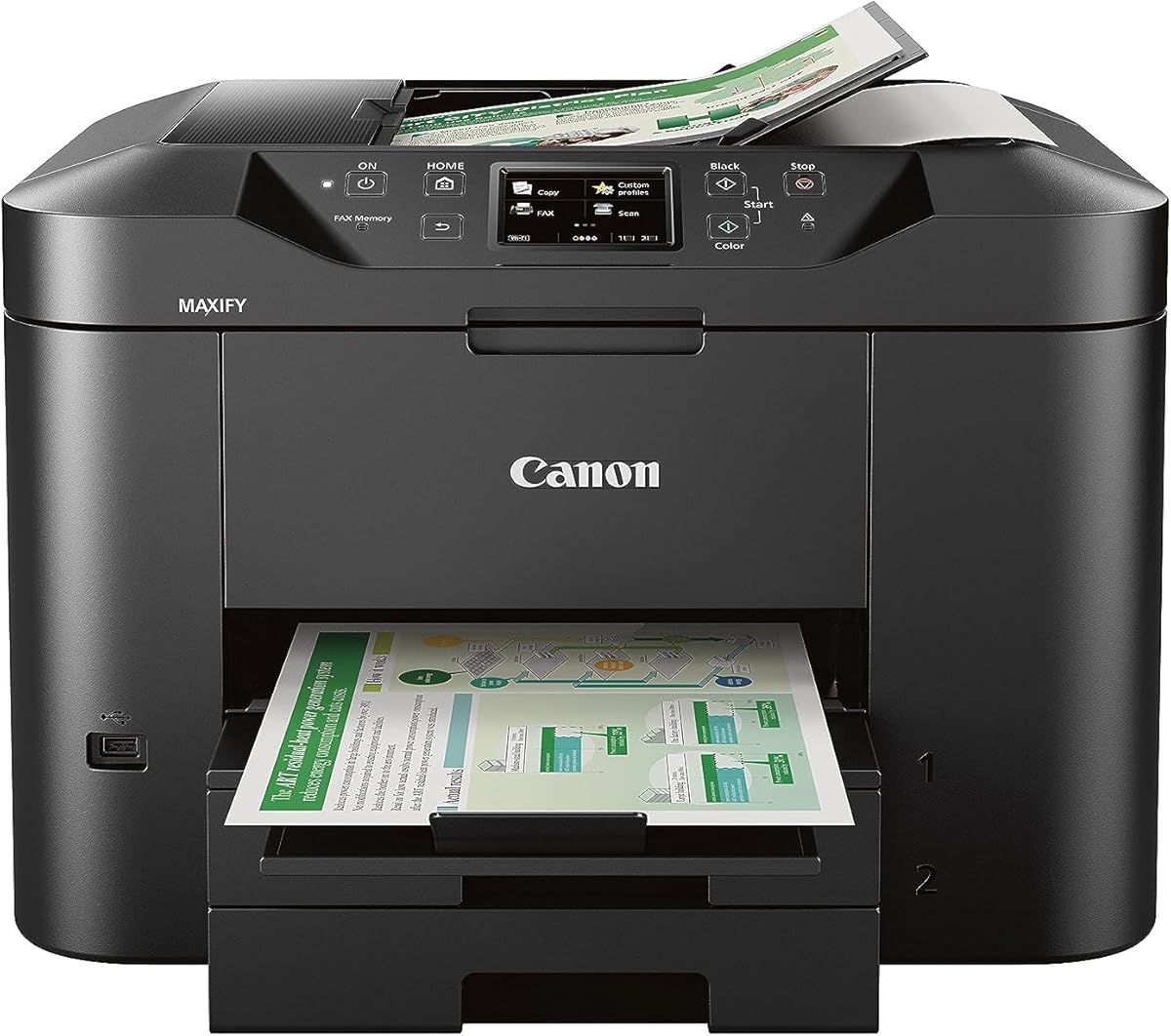


The Canon PIXMA TR4720 stands out as a highly capable all-in-one solution that includes built-in faxing at an affordable price point. With a solid user rating and strong feature set, it is ideal for home offices needing fax, print, scan, and copy functions. This unit bridges the gap between traditional fax machines and modern multi-function printers effectively.
We may earn a commission when you buy through this link, at no additional cost to you.
Its standout quality is the seamless integration of wireless printing and faxing without requiring a separate dedicated device. The Auto Document Feeder allows for sending multi-page faxes quickly, saving time during busy work periods. Mobile printing via the Canon app ensures you can manage documents from anywhere in your home or remote location easily.
Trade-offs include slower print speeds compared to laser alternatives and a relatively simple control interface that may lack advanced customization. The ink costs may add up over time if printing high volumes regularly, but for standard fax and document needs it remains cost-effective. The compact size fits well on small desks without overwhelming limited workspace areas.
This model is perfect for home users or small business owners who need occasional faxing alongside daily printing tasks. If you want a single device that handles everything without cluttering your office space this is the right pick. We recommend it for those who value convenience and wireless capabilities over raw speed and volume.
The integrated Auto Document Feeder lets you load multiple pages at once for quick fax transmission or scanning tasks.
Connect from smartphones or laptops easily without cables using the reliable wireless network features built into the device.
We may earn a commission when you buy through this link, at no additional cost to you.
The Brother FAX-575 is a robust dedicated personal fax machine designed to handle frequent faxing with phone and copying capabilities. Users rate it highly for its ease of operation and reliable performance over time. It offers essential features like a large memory and fast modem speed which are critical for professional environments.
We may earn a commission when you buy through this link, at no additional cost to you.
Its standout quality is the 9600 BPS fax modem that transmits pages in about 15 seconds per page ensuring quick document delivery. The 512 KB memory can store up to 25 pages allowing you to send faxes even when paper runs out temporarily. This reliability makes it a trusted choice for businesses that cannot afford missed communications.
Trade-offs include the lack of wireless connectivity which means you must connect via traditional phone lines and cables. The physical size is larger than modern all-in-one printers so it requires more desk space. Despite these limitations the dedicated fax focus ensures consistent performance and fewer software issues over the long term.
Buy this if you need a standalone fax machine that prioritizes reliability and speed over modern wireless convenience. It is best suited for offices where faxing is a primary daily task. We consider it the top pick for traditional users who value function and dependability above all else.
The 9600 BPS modem ensures pages are sent quickly reducing wait times for sending important documents to clients.
Store up to 25 pages in memory so you can queue faxes even if the paper tray becomes empty during operation.
We may earn a commission when you buy through this link, at no additional cost to you.
The HP DeskJet 2955 offers an incredibly affordable entry point into wireless all-in-one printing for home users who need basic document handling. While it lacks a dedicated fax line it supports faxing through mobile app connectivity in many configurations. With a 3-month Instant Ink trial it keeps initial costs extremely low for new buyers looking to save money.
We may earn a commission when you buy through this link, at no additional cost to you.
Its standout quality is the AI-capable print formatting which optimizes web pages and emails to avoid wasted paper and awkward layouts. The dual-band Wi-Fi connection ensures a stable network link for printing from any device in your home. It is compact enough to fit on a shelf or small desk without taking up much room at all.
Trade-offs include the absence of a physical fax port and a print speed that is slower than business-class devices. The ink costs may vary after the trial ends unless you cancel the subscription service promptly. However for users who primarily print and scan this machine delivers excellent value for the low upfront investment.
Choose this if your fax needs are minimal and you prioritize low cost and wireless convenience over heavy-duty performance. It is ideal for students or casual home users who need a printer occasionally. We recommend it as the best budget option for basic document needs without complex business requirements.
HP AI removes unwanted content from web pages ensuring your prints look clean and professional without manual editing.
The Instant Ink trial delivers ink automatically before you run out helping you avoid expensive last-minute purchases.
We may earn a commission when you buy through this link, at no additional cost to you.
This renewed version of the Brother FAX-575 provides access to a reliable fax machine at a reduced price point compared to new units. It retains the same core features like the fast modem and large memory making it a great choice for budget-conscious buyers. The renewed status ensures you get a tested product that functions like new without the full cost.
We may earn a commission when you buy through this link, at no additional cost to you.
Its standout quality is the cost savings while still offering the robust fax and phone capabilities of the original model. Users appreciate the 512 KB memory storage which allows for efficient batch faxing without constant manual loading. It maintains the simple interface that makes it easy for anyone to operate without technical training.
Trade-offs include the uncertainty of used components which might show signs of wear despite testing. The warranty period is often shorter than new models so be aware of the coverage terms before purchasing. However for those willing to accept minimal risk the savings can be significant for small offices or home users.
Buy this if you want a proven fax machine but need to keep expenses low right now. It works well for secondary fax lines or light daily use. We suggest it for buyers who trust refurbished quality and want the best value for a dedicated fax device.
Renewed models let you access high-quality fax features without paying full retail prices for a brand new unit.
Since the hardware is already tested you can rely on its fax speed and memory without worrying about software bugs.
We may earn a commission when you buy through this link, at no additional cost to you.
The Canon PIXMA TR8620a is a premium home office all-in-one printer that includes built-in faxing alongside voice assistant support. With a perfect user rating and advanced features like auto duplex and voice control it delivers both convenience and high-quality document handling. This model is designed for users who want smart technology integrated into their fax workflow.
We may earn a commission when you buy through this link, at no additional cost to you.
Its standout quality is the integration with Alexa allowing you to manage printers and fax tasks using simple voice commands. The 200 sheet paper capacity reduces the need for frequent refills which is great for busy work environments. Print speeds of 15 ipm ensure documents are ready quickly so you do not wait long for results.
Trade-offs include a higher upfront cost compared to basic models and a setup process that may take more time initially. The control panel has many features which can be overwhelming for users who only need simple faxing. Despite this the advanced features justify the investment for those who value automation and speed in their office.
Choose this if you want a smart connected fax printer that handles high volumes with ease. It is best for tech-savvy home offices that need reliability and voice control. We recommend it for users who prioritize convenience and advanced connectivity options in their printer.
Use Alexa to ask your printer to print or fax documents hands-free which saves time during busy work sessions.
The large paper trays reduce interruptions and keep your workflow smooth when handling large stacks of documents daily.
We may earn a commission when you buy through this link, at no additional cost to you.
The Sharp UXB20 is a compact inkjet fax machine that offers essential fax capabilities in a smaller design suitable for limited spaces. It includes useful features like Caller ID and distinctive ring detection which help manage incoming calls efficiently. The memory allows for storing fax documents even when the paper tray is empty temporarily.
We may earn a commission when you buy through this link, at no additional cost to you.
Its standout quality is the 30 speed dial presets which let you save frequent contacts for quick faxing without entering numbers. The compact design fits easily into small home offices where space is at a premium without sacrificing core fax functionality. It remains a simple device that gets the job done for occasional use.
Trade-offs include a lower user rating compared to other models and a basic interface that lacks modern smart features. The inkjet technology may result in slower print speeds than laser options for large batches. However for users who need a small reliable fax unit this model offers good value and functionality.
Buy this if you need a small fax machine that saves desk space and handles basic needs well. It is best for home users with limited contact lists and infrequent faxing. We suggest it for those who prioritize size and simplicity over advanced connectivity.
The compact form factor allows you to fit the machine on a small shelf without losing fax capabilities.
Save your frequent contacts in memory so you can send faxes with just a few button presses.
We may earn a commission when you buy through this link, at no additional cost to you.
The Canon MAXIFY MB2720 is a business-grade wireless color printer that includes faxing capabilities for high-volume office environments. With a 500 sheet capacity and a 20000 page duty cycle it is built to last and handle heavy workloads without constant refills. It is an ideal choice for small businesses needing robust document management and fax functions.
We may earn a commission when you buy through this link, at no additional cost to you.
Its standout quality is the massive 500 sheet paper capacity which allows for continuous printing and faxing without interruption. The Dual Resistant High Density Inks ensure text is highlighter and smudge resistant which is perfect for official documents. It offers reliable mobile scanning and printing for users on the go in your office.
Trade-offs include the higher price point and larger physical footprint compared to home-grade models. The complexity of settings may be unnecessary for light home use but perfect for busy offices. However for a business environment this reliability and capacity are essential for productivity and uptime.
Choose this if you run a small business that needs high-volume faxing and printing daily. It is best for workspaces where document volume is consistently high. We recommend it for businesses that prioritize uptime and paper capacity over compact size.
Designed for a 20000 page monthly duty cycle this machine handles heavy workloads without breaking down.
The 500 sheet capacity ensures you rarely need to refill paper which keeps workflow smooth and efficient.
We may earn a commission when you buy through this link, at no additional cost to you.
The Brother IntelliFAX-2840 utilizes laser technology to deliver fast and clear fax documents for professional environments. It offers a printing speed of 21 pages per minute which is significantly faster than many inkjet alternatives. The laser output ensures text is sharp and clear which is important for official business documents.
We may earn a commission when you buy through this link, at no additional cost to you.
Its standout quality is the speed and clarity of laser faxing which ensures documents are legible and professional. The machine is energy efficient and requires minimal maintenance compared to inkjet models. It is designed for users who need reliable faxing without frequent interruptions or print quality issues.
Trade-offs include the lack of network readiness which limits connectivity to direct phone lines only. The unit is bulkier than inkjet machines which might be a constraint for small spaces. However for fax reliability and speed this model remains a strong contender for dedicated fax needs.
Buy this if you need fast laser faxing and clarity for business documents. It is best for offices that prioritize print speed and quality. We suggest it for users who prefer laser technology over inkjet for faxing.
Laser technology provides sharp and clear text that is professional and easy to read for all documents.
With 21 ppm speed you can send large batches of faxes quickly without waiting long for each page.
We may earn a commission when you buy through this link, at no additional cost to you.
This renewed Thermal Transfer Fax model from Brother offers a dependable faxing solution that uses thermal technology for printing. It includes a small Auto Document Feeder which is helpful for quick multi-page fax jobs without manual feeding. The 512 KB memory ensures you can store and send documents even when the paper supply is interrupted.
We may earn a commission when you buy through this link, at no additional cost to you.
Its standout quality is the thermal transfer mechanism which avoids the need for ink cartridges in traditional printing. The device is Energy Star rated making it efficient for long periods of operation. Users find it easy to operate with a straightforward interface for sending and receiving faxes quickly.
Trade-offs include the need for specific thermal paper which may cost more than plain paper. The transmission speed is slower than laser models which might delay large fax batches. However for those who prefer thermal tech and simplicity this model serves as a reliable budget-friendly choice.
Choose this if you want a simple fax machine that avoids ink cartridges. It is best for light office use or home faxing. We recommend it for users who value ease of use over high speed.
Thermal transfer technology means you do not need ink cartridges which simplifies maintenance and reduces consumables.
The 10 sheet ADF allows you to load multiple pages for faxing without feeding them one by one.
We may earn a commission when you buy through this link, at no additional cost to you.
The Panasonic KX-FHD331 is a straightforward plain paper fax machine designed for users who want simplicity and standard paper usage. It supports Caller ID and connects to answering machine interfaces for efficient call handling. The device is budget-friendly and covers the essentials for sending and receiving standard fax documents.
We may earn a commission when you buy through this link, at no additional cost to you.
Its standout quality is the use of plain paper which is more accessible and cheaper than special thermal paper. The 9.6 Kbps modem provides reliable transmission speeds for standard fax needs. It is designed to be easy to set up and use for anyone without technical background.
Trade-offs include a lower user rating which may indicate occasional reliability issues compared to top models. The functions are basic and lack advanced features like large memory or high speed. However for those who need a no-frills plain paper fax this model is a decent choice.
Buy this if you need an affordable fax that uses regular paper. It is best for home users with very basic faxing needs. We suggest it for buyers who want a simple device without extra features.
This machine uses standard plain paper so you can buy regular copy paper instead of special fax rolls.
Compatible with Caller ID to help you identify incoming fax callers easily before they connect.
We may earn a commission when you buy through this link, at no additional cost to you.
Selecting a cheap fax machine requires balancing cost with essential features like speed, memory, and paper handling. Here are the main factors to consider before purchasing.
Transmission speed refers to how fast your fax machine sends and receives documents. Look for modems rated at 9600 BPS or higher to ensure pages transmit in about 15 seconds. Faster speeds save time especially when sending multiple pages or working under deadlines.
Prioritize high modem speeds for business use to reduce wait times and improve efficiency.
Memory capacity determines how many pages your fax can store when it is out of paper or the phone line is busy. Aim for models with at least 500 KB memory which can store around 20 to 25 pages. This feature ensures documents are not lost during power interruptions or paper jams.
A large memory buffer provides peace of mind and prevents lost fax jobs.
Paper handling includes the input tray capacity and whether the machine supports plain paper or thermal paper. Standard plain paper machines are more versatile and cheaper to run than thermal models. A capacity of 50 sheets or more reduces the need for frequent refills during busy days.
Choose a unit with ample paper capacity and plain paper support for long-term convenience.
Many cheap fax machines now come as all-in-one units that also print, scan, and copy. These multifunctional devices save space and can be more cost-effective than buying separate devices. Look for wireless connectivity if you want to fax from your computer or smartphone easily.
Consider an all-in-one unit if you need printing and scanning alongside faxing.
Connectivity options determine how you interact with your fax machine. Basic models use phone lines only while modern units offer USB or Ethernet connections. Wireless models let you fax from mobile devices which adds flexibility for remote workers and busy professionals.
Select a model that matches your network setup and remote work needs.
Ease of use is critical for office staff who may not be tech-savvy. Look for clear control panels with large buttons and intuitive menus. Features like one-touch speed dial and LCD screens make managing contacts and sending faxes much simpler and faster.
A user-friendly interface ensures everyone in your office can operate the fax machine confidently.
Durability refers to how well the machine holds up over time and under heavy use. Business-grade models have higher duty cycles meaning they can handle thousands of pages monthly without issues. For home use basic durability is enough but frequent office use demands a robust machine.
Check the duty cycle to ensure the machine matches your expected fax volume.
A good warranty protects your investment if the machine fails within a short period. Look for units with at least a 6-month or 1-year limited warranty from the manufacturer. Access to customer support helps resolve technical issues quickly so you can get back to work.
Always verify warranty terms and support availability before finalizing your purchase.
To use your fax machine start by connecting it to a working phone line and power outlet. Load plain paper into the input tray and ensure the paper guides fit snugly to prevent jams. Dial the recipient number manually or use a speed dial preset to send a fax quickly.
Regularly clean the scanner glass and rollers with a soft dry cloth to maintain high quality output. Check the toner or ink levels often and replace cartridges before they run out completely. Empty the paper tray if the machine will be idle for long periods to prevent paper curling.
Keep the machine in a cool dry place away from direct sunlight to avoid overheating and paper damage. If you notice slow transmission or poor print quality check the phone line for interference or noise. Restarting the device occasionally can resolve minor software glitches and keep performance optimal.
Traditional fax machines require a working analog phone line to send and receive documents. However some modern all-in-one printers support internet faxing via VoIP services. Check your device manual to confirm if it supports digital or analog connections.
Thermal fax machines use special heat-sensitive paper which tends to fade over time and costs more per page. Plain paper fax machines use standard copy paper which is cheaper and permanent. Plain paper models are generally preferred for business documents due to longevity.
Yes if your fax machine has USB or network connectivity you can fax directly from your computer. Many all-in-one printers also include software drivers that enable digital faxing from desktop or laptop apps. Wireless models often allow this via a dedicated app or network setup.
Aim for at least 512 KB of memory which can store roughly 20 to 25 pages. This capacity ensures your fax can queue documents during paper jams or power outages. Less memory may lead to lost faxes if the machine runs out of paper unexpectedly.
Renewed fax machines can be a great cost-saving option if they come with a warranty and have been tested. Look for reputable sellers that inspect the machine thoroughly before resale. This option lets you get higher-end features at a lower price point safely.
Fax transmission speed depends on the modem quality and phone line condition. Machines with 9600 BPS modems transmit faster than older or slower models. Interference on the phone line can also slow down transmission or cause failed sends.
Most affordable fax machines transmit in black and white to ensure compatibility with standard fax protocols. Some all-in-one printers can send color documents but the receiving fax machine will typically convert it to grayscale. Color faxing is rare in budget devices.
Turn off the machine and unplug it before attempting to remove jammed paper. Open all access doors and gently pull the paper out in the direction of the paper path. Avoid tearing the paper and check for any remaining scraps before turning it back on.
We have reviewed ten reliable options ranging from dedicated fax units to versatile all-in-one printers that fit various budgets. The Canon PIXMA TR4720 and Brother FAX-575 stand out for their balance of features and value for most users today. Selecting the right machine depends on your specific faxing volume and workspace needs.
Prioritize transmission speed and memory capacity if you send faxes daily for business purposes. For occasional home use simpler models with lower prices will suffice without sacrificing reliability. Consider all-in-one units if you need to combine faxing with printing and scanning tasks.
Remember that prices and availability change so always check the latest listings before buying. Verifying warranty details and return policies adds a layer of protection for your purchase. We hope this guide helps you find a cheap fax machine that meets your requirements perfectly.