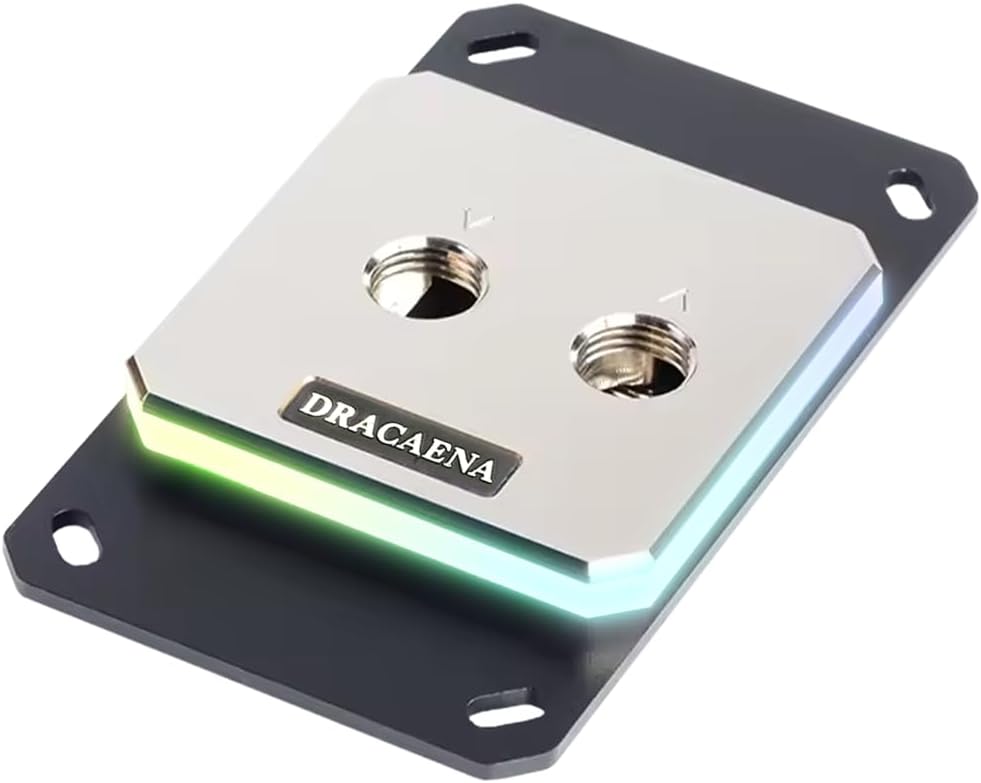
Dracaena.io CPU Water Block for AM5/AM4
4.6Editor score
Broad AMD socket support
All-copper water loop
5V ARGB sync included
Choosing the right CPU water block is essential for anyone serious about liquid cooling. It directly impacts thermal performance, noise levels, and the overall look of your custom loop.
We compared ten leading models based on thermal efficiency, build quality, socket compatibility, and aesthetic features. Each pick offers a unique balance of performance and value for different user needs.
Every review highlights key strengths and trade-offs to help you decide. Note that prices and availability can change, so check the latest details before making your purchase decision.
4.6Editor score

4.6Editor score

3.6Editor score
As an Amazon Associate we earn from qualifying purchases.
The following table provides a side-by-side comparison of all ten selected CPU water blocks, highlighting their key specifications and compatibility features.




The EKWB EK-Quantum Velocity 3 CPU Water Block stands out as a top performer for modern AMD and Intel platforms. It achieves a 4.6 rating from users who appreciate its advanced thermal design. The optimized internal geometry ensures efficient heat transfer from the CPU die.
We may earn a commission when you buy through this link, at no additional cost to you.
Its nickel-plated copper cold plate provides excellent thermal conductivity and protects against corrosion. Compared to its predecessor, this model achieves up to 2 degrees Celsius improvement in thermal performance. This makes it ideal for demanding workloads like overclocking or heavy rendering tasks.
While the price is higher than budget options, the performance gains justify the investment for serious enthusiasts. The precise mounting pressure ensures consistent contact across the CPU surface without risk of damage.
If you prioritize maximum cooling efficiency and build quality, this block is the best choice. It is perfect for users building a high-end custom loop who want reliable thermal performance.
The optimized internal geometry ensures water flows efficiently across the cold plate to remove heat faster.
Nickel plating on the copper cold plate prevents oxidation and extends the lifespan of your cooling loop.
We may earn a commission when you buy through this link, at no additional cost to you.
The CORSAIR XC7 RGB Elite LCD CPU Water Block combines cooling performance with visual flair through its integrated display. It features a bright 480×480 IPS LCD screen that shows real-time CPU temperature or custom images. Users rate it 4.1 for its unique blend of function and form.
We may earn a commission when you buy through this link, at no additional cost to you.
The Hexa-Flow cooling engine mitigates laminar flow to ensure all CPU cores are cooled evenly. The nickel-plated copper cold plate includes over 120 micro-cooling fins for effective heat dissipation. USB-C connectivity simplifies installation and automatic iCUE setup without extra controllers.
The main trade-off is the cost and dependency on CORSAIR software for full customization. The display requires specific drivers to function properly within the ecosystem. However, the visual impact is unmatched for showpiece builds.
This block is ideal for builders who want to showcase their PC internals with live data. If you value aesthetics as much as cooling, this water block delivers both effectively.
The IPS LCD screen allows you to display gifs, logos, or system metrics with true color depth.
USB-C connectivity removes the need for separate control units and streamlines your loop setup.
We may earn a commission when you buy through this link, at no additional cost to you.
The Dracaena.io CPU Water Block offers excellent value for AMD builders seeking reliable cooling without a high cost. It features an all-copper water loop and microfin base plate for maximum thermal conductivity. Users appreciate its broad compatibility with AM5, AM4, and older AMD platforms.
We may earn a commission when you buy through this link, at no additional cost to you.
The precision construction ensures corrosion resistance and pressure testing for safe operation. It includes a 5V ARGB controller and mounting hardware in the box for a convenient start. The acrylic top panel provides clarity while maintaining a compact form factor.
While the price is lower, it uses aluminum brackets which may be less durable than full metal options. The design is functional rather than premium. However, performance remains strong for the price point.
This block is perfect for budget-conscious users or first-time liquid cooling enthusiasts. It provides solid performance and the essential features needed for a functional custom loop.
Full copper internal water channels ensure maximum thermal conductivity without aluminum in the water path.
Supports AM5, AM4, AM3+, and AM2+ without needing adapters for a straightforward installation.
We may earn a commission when you buy through this link, at no additional cost to you.
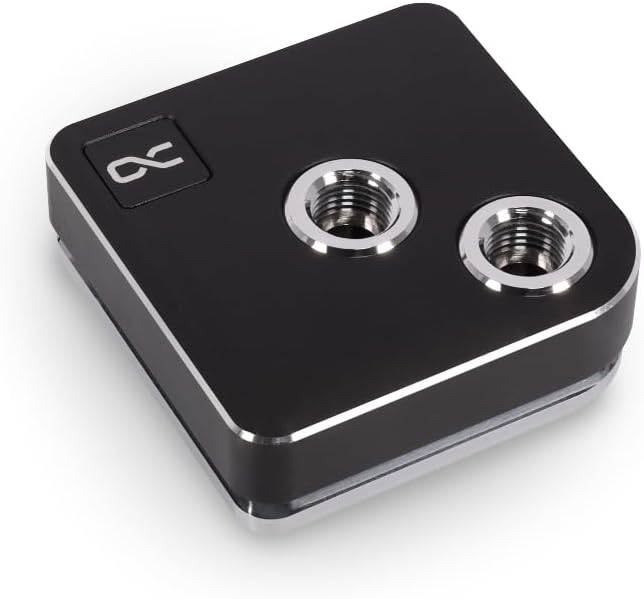
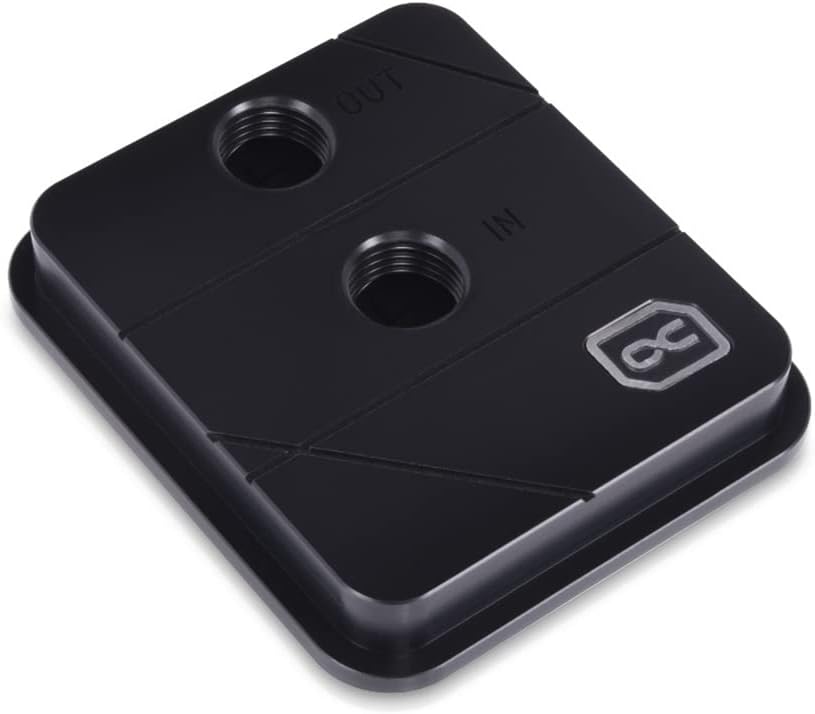
The Alphacool Core 1 CPU Water Block is a reliable choice for builders seeking performance without extra features. It supports both Intel LGA 1700 and AMD AM4/AM5 sockets. With a 4.6 rating, it proves its worth through consistent results in custom loops.
We may earn a commission when you buy through this link, at no additional cost to you.
The black finish provides a clean look for minimalist builds. Dimensions are standard for compatibility with most radiator setups. Its straightforward design focuses on core cooling capabilities rather than visual enhancements.
The trade-off is the lack of RGB or display features found in higher-end models. It suits users who prioritize function over form. The build quality ensures long-term reliability.
This block is ideal for silent or minimal setups where cooling is the main goal. It delivers dependable performance for mainstream workloads and gaming systems alike.
The black finish offers a clean look that fits well in builds without RGB lighting.
Proven thermal performance ensures your CPU stays cool under sustained loads.
We may earn a commission when you buy through this link, at no additional cost to you.
This generic water cooling block offers an affordable entry point for basic cooling needs. It features a 5mm copper base and chrome plated faucets for heat transfer. It supports legacy sockets like Intel LGA 1150 and AMD AM3+ which might be useful for older upgrades.
We may earn a commission when you buy through this link, at no additional cost to you.
The inner water channel increases contact area to carry heat from the CPU quickly. It includes a set of accessory screws for mounting. The design prioritizes simplicity over aesthetics or advanced cooling features.
Modern users should note the lack of support for latest platforms. It is best suited for older systems or low-cost builds. Quality varies compared to branded premium units.
If you need a basic solution for an old PC, this block works. For modern systems, investing in a newer model is recommended for better performance.
A budget-friendly option for basic water cooling needs on older hardware platforms.
Simple construction focuses on essential cooling without extra features like RGB.
We may earn a commission when you buy through this link, at no additional cost to you.
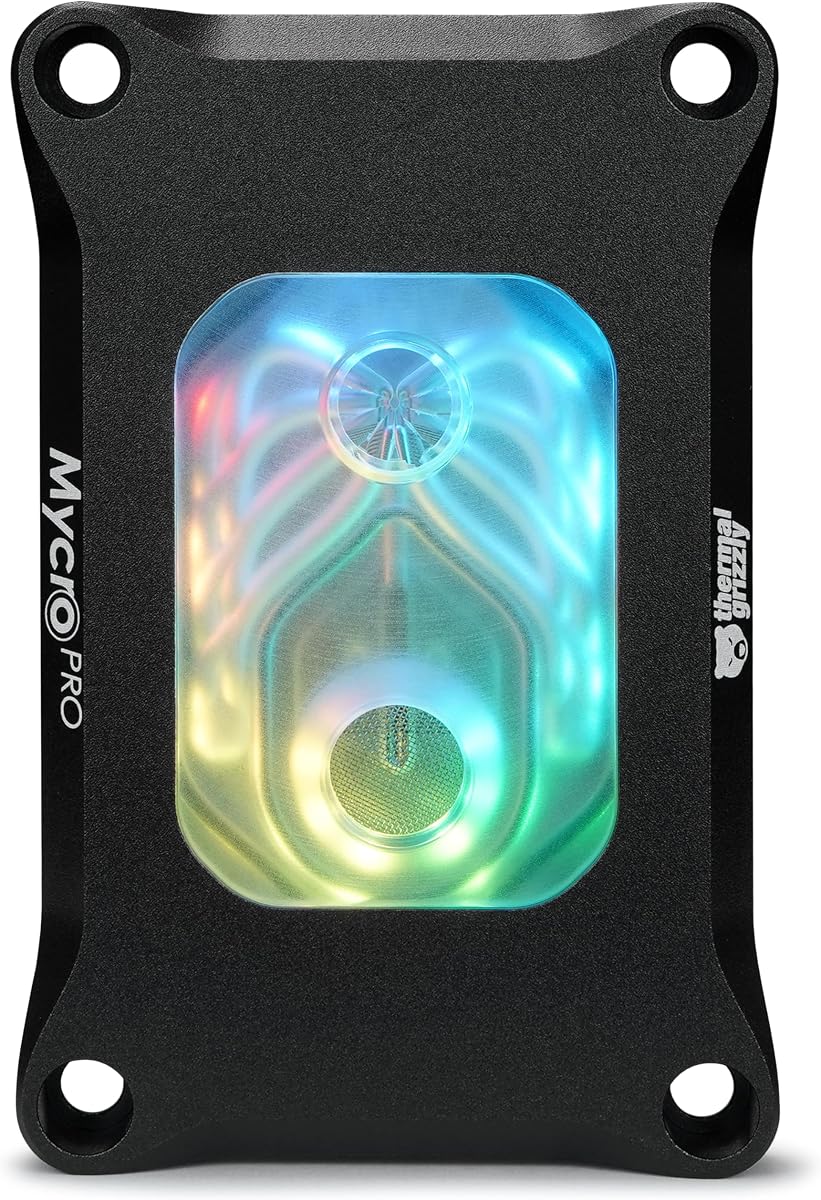
The Thermal Grizzly Mycro Pro RGB is designed for high-end custom loops requiring efficient heat dissipation. It features 68 microfins with a 0.2 mm structure to increase surface area. The integrated fine mesh filter helps trap particles to support consistent flow.
We may earn a commission when you buy through this link, at no additional cost to you.
Nickel-plated copper ensures durability and stability for demanding setups. The G1/4 threads standardize compatibility with most loop components. Users rate it 4.6 for its reliability and cooling capability.
The microfin density may require higher flow rates to avoid pressure drops. The filter helps maintain cleanliness but needs regular checks. Overall it offers strong performance for enthusiasts.
This block is ideal for users building a high-performance system. It balances advanced cooling tech with reliable materials for long-term use.
68 microfins with 0.2 mm structure ensure maximum heat transfer from the cold plate.
The inlet filter traps debris to protect the microfin structure from clogging.
We may earn a commission when you buy through this link, at no additional cost to you.
The TRYX Panorama WB CPU Water Block features a unique 6.67 inch AMOLED screen with built-in GIPHY support. It delivers 372PPI pixel density for vivid visual effects. The thermal architecture uses a microchannel copper cold plate for rapid heat transfer.
We may earn a commission when you buy through this link, at no additional cost to you.
A built-in PWM fan actively cools VRM components under heavy loads which is a standout feature. Software allows split-screen display and hardware monitoring data. Support covers most modern Intel and AMD CPUs.
The complexity and software dependency may overwhelm casual users. The screen adds weight and requires specific installation. However the visual and functional integration is impressive.
This block suits users who want a showpiece with utility. If you value VRM cooling and visual customization, it is worth the effort.
Built-in PWM fan delivers targeted airflow to motherboard voltage regulators under heavy loads.
Curved AMOLED screen provides anamorphic visual effects that stand out in any case.
We may earn a commission when you buy through this link, at no additional cost to you.
The Alphacool Core XP3 provides a balanced option for standard cooling needs. It uses a nickel plated copper cooler for heat transfer. The Acetal body ensures durability while keeping costs lower. It supports both Intel and AMD sockets.
We may earn a commission when you buy through this link, at no additional cost to you.
With 2 x G1/4 threads, it integrates easily into custom loops. The max working temperature of 60 Degree C suits most daily tasks. It is rated 4.4 by users for its consistency.
Materials are standard and may not offer the premium feel of full metal blocks. It lacks advanced features like displays or RGB. Performance remains solid for typical workloads.
This block is ideal for budget builders needing reliable cooling. It delivers consistent results for gaming and office tasks.
The Acetal body reduces cost without sacrificing essential nickel plated copper cooling performance.
G1/4 threads ensure easy connection with most standard water cooling hoses.
We may earn a commission when you buy through this link, at no additional cost to you.
The CORSAIR iCUE Link XC7 RGB Elite uses a patent-pending ecosystem for cable management. It lets you daisy-chain components using universal connectors. The Hexa-Flow cooling engine ensures all CPU cores are evenly cooled effectively.
We may earn a commission when you buy through this link, at no additional cost to you.
A built-in temperature sensor allows precise cooling control via iCUE software. The 24 RGB LEDs provide customizable lighting. The transparent flow chamber offers a visual appeal.
You need the iCUE LINK System Hub separately for full benefits. This adds to the setup requirements. The cooling performance is excellent though.
This block suits users invested in the CORSAIR ecosystem. It reduces clutter and adds intelligent control to your loop.
Universal connectors let you build faster with less cable clutter in your system.
A built-in temperature sensor enables precise cooling control through software monitoring.
We may earn a commission when you buy through this link, at no additional cost to you.
The Alphacool Core 1 LT offers an acrylic finish for visibility of the coolant. It supports Intel LGA 1700 and AMD AM4/AM5 sockets. Digital RGB lighting adds visual customization. It is a reliable choice for standard builds.
We may earn a commission when you buy through this link, at no additional cost to you.
Dimensions are standard to ensure compatibility with most cases. The acrylic material provides a modern look. Users rate it 4.1 for its consistent performance.
Acrylic is less durable than metal and may scratch easier. It remains a solid option for users who prefer clarity. The cooling remains dependable.
This block is ideal for users seeking clear aesthetics. It delivers reliable cooling for everyday tasks.
Acrylic finish provides a modern look and allows you to see coolant flow clearly.
Standard dimensions ensure compatibility with most standard water cooling radiators.
We may earn a commission when you buy through this link, at no additional cost to you.
Selecting the right CPU water block depends on several technical and aesthetic factors to ensure compatibility and performance.
Verify the block supports your specific CPU socket such as AM5 or LGA 1700. Most modern blocks support current platforms but older ones may not. Always check manufacturer listings before buying.
Always match the block to your CPU socket to avoid installation issues.
Nickel-plated copper is standard for thermal conductivity and durability. Pure copper is also effective but may oxidize faster without plating. Avoid aluminum in the water path to prevent galvanic corrosion.
Choose nickel-plated copper for long-lasting reliable thermal performance.
Higher microfin density increases surface area for better heat transfer. However it may require higher pump flow rates. Look for blocks with engineered fin structures for balance.
Prioritize high microfin density for optimal cooling efficiency.
Decide if you want RGB lighting or transparent flow chambers. Some blocks integrate displays for visual customization. Others focus on minimalist black designs.
Choose aesthetics that match your case lighting scheme.
Standard G1/4 threads ensure compatibility with hoses and fittings. Verify the inlet and outlet fit your tubing size. Some specialized blocks may differ so check specs.
Ensure G1/4 threads for easy integration into custom loops.
Higher cost blocks offer advanced cooling features. Basic blocks provide reliable cooling for standard use. Assess your performance needs before spending.
Balance features with budget to find the best value.
Established brands often provide better warranty and support. Look for proven models with high user ratings. Reviews help identify potential defects.
Trust reputable brands for reliable performance and support.
Some blocks include integrated controllers or screens requiring setup. Others offer plug-and-play mounting. Consider your comfort level with software and tools.
Select a block that matches your installation expertise.
Prepare your surfaces by cleaning the CPU and block with isopropyl alcohol. Apply a thin layer of thermal paste evenly across the CPU die. Ensure no air bubbles are trapped during mounting.
Secure the block using the provided mounting hardware. Tighten screws gradually in a cross pattern to ensure even pressure. Avoid over-tightening which could damage the CPU.
Check the loop for leaks before powering on. Monitor temperatures using software tools after starting the system. Periodically flush the coolant to maintain flow and prevent buildup.
No, you must still apply thermal paste between the CPU and the block. The paste fills microscopic gaps to ensure efficient heat transfer. Proper application improves thermal performance significantly.
Most modern blocks support AM5 but check before buying. Older models may only support AM4 or older sockets. Manufacturers usually list compatibility on the product page.
Many RGB blocks connect directly to motherboard headers. Some high-end models may need external controllers for full effects. Check the product specs for specific requirements.
G1/4 threads are the standard for most custom water blocks. This ensures compatibility with most tubing and fittings. Verify before purchasing non-standard parts.
Acrylic can be used but requires caution. It is less durable than metal and may crack under pressure. Ensure all metal parts are compatible to avoid corrosion.
Clean the block every 1 to 2 years depending on coolant quality. Flushing the loop removes debris and prevents buildup. This maintains optimal thermal performance.
Larger cold plates offer more surface area for heat transfer. However size must match your CPU dimensions. Choose the correct size for optimal cooling efficiency.
Most blocks include mounting hardware for standard sockets. Some may require adapters for specific platforms. Check the package contents before buying.
The top picks offer excellent choices for different needs from budget to premium. The EKWB Velocity 3 leads for performance while Dracaena.io excels in value. TRYX stands out with visual customization.
Focus on cooling requirements and aesthetic goals to narrow your choice. Ensure socket compatibility and thread types match your loop components. Prioritize build quality for long-term reliability.
Always check current prices before purchasing as they can change. Verify stock availability from your preferred retailer. The right block will enhance your build performance and look.