
BOSGAME E4 Air
4.2Editor score
Affordable Ryzen 5 processor
Triple 4K display output
Quiet efficient cooling
This guide compares the top 10 Linux Mini Pcs for performance, compatibility, and value to help you find the perfect compact desktop for your workflow.
Linux Mini Pcs offer a compact and efficient computing solution for developers, enthusiasts, and businesses seeking open-source flexibility without the bulk of traditional desktop towers.
We evaluated ten top models based on processor power, RAM capacity, storage options, Linux compatibility, port selection, and build quality to ensure reliable daily performance.
Each pick highlights key strengths and ideal use cases while noting that specifications and availability may change so verify current details before making your final purchase decision.
4.2Editor score

4.8Editor score

4.9Editor score
Here is a side-by-side comparison of all ten reviewed models showing their core specs and key features so you can quickly identify which Linux Mini Pc fits your needs.


The TK Node Mini PC stands out as the top pick for Linux enthusiasts seeking a reliable system with Zorin OS Core preinstalled for immediate usability.
We may earn a commission when you buy through this link, at no additional cost to you.
Its AMD Ryzen R2314 processor paired with expandable RAM and dual NVMe storage slots offers excellent flexibility for virtualization, automation, and development workloads.
While stock configurations start modestly the dual SO-DIMM and NVMe slots allow significant upgrades ensuring longevity for professional or server deployments over time.
Buyers looking for a compact US built desktop with strong Linux integration and triple 4K display support will find this model ideal for desk or cabinet setups.
Zorin OS Core provides a familiar Ubuntu based interface that eases the transition from Windows while offering robust developer tools and security features.
With dual SO-DIMM slots supporting up to 64GB RAM and dual NVMe SSD slots allowing up to 4TB storage you can tailor the system to any workload.
We may earn a commission when you buy through this link, at no additional cost to you.
The Beelink SER3 delivers solid everyday performance with 16GB RAM and a fast PCIe SSD making it a great entry point for Linux desktop users.
We may earn a commission when you buy through this link, at no additional cost to you.
Its AMD Ryzen 3 3200U processor handles office tasks and light multimedia smoothly while Radeon Vega 3 graphics support dual 4K@60Hz displays for extended productivity.
Though the CPU is older the generous RAM and storage make it suitable for browsing and coding while dual HDMI ports help maximize screen real estate efficiently.
If you need a cost effective compact PC with reliable connectivity and strong after-sales support this model offers compelling value for home and office environments.
With 16GB DDR4 memory out of the box you can run multiple applications simultaneously without slowdowns even on Linux distributions with heavier desktop environments.
Dual HDMI ports let you connect two 4K displays at 60Hz enabling a wide workspace for code editing and data analysis side by side.
We may earn a commission when you buy through this link, at no additional cost to you.
The ASUS NUC 14 Pro represents the pinnacle of Linux Mini Pcs with a powerful Intel Ultra 7 processor and 64GB DDR5 RAM for demanding professional workflows.
We may earn a commission when you buy through this link, at no additional cost to you.
Preinstalled Linux Mint ensures a clean secure environment ideal for AI research development and virtualization while Intel Arc graphics accelerate visual and compute tasks.
Thunderbolt 4 connectivity and dual channel DDR5 memory deliver lightning fast data transfer and responsiveness making this system perfect for heavy multitasking and big data processing.
Though premium priced its advanced cooling expandable memory and business ready design make it a long-term investment for professionals who need top tier performance.
The Intel Core Ultra 7 155H processor features integrated AI acceleration and high core counts that excel at machine learning and complex computational workloads.
Thunderbolt 4 ports support up to 40Gbps data speeds and daisy chaining multiple high speed devices or displays for professional workstation setups.
We may earn a commission when you buy through this link, at no additional cost to you.
The Beelink S12 Pro is an energy efficient Linux Mini Pc powered by the Intel N100 processor perfect for light desktop tasks and home server applications.
We may earn a commission when you buy through this link, at no additional cost to you.
Its 16GB RAM and 500GB SSD provide enough power for daily computing while dual HDMI 4K@60Hz ports enable comfortable multitasking across two large screens.
With a low 6W TDP and silent cooling it operates quietly and efficiently making it ideal for small spaces or always on network attached storage deployments.
If you prioritize power savings and simple reliable performance this model delivers great value with modern connectivity like WiFi 6 and versatile USB ports.
The N100 processor runs at only 6W TDP ensuring minimal heat and noise while maintaining enough power for web browsing media streaming and office work.
Dual HDMI 2.0 ports support two 4K displays at 60Hz enabling a wide workspace for productivity without sacrificing visual clarity or refresh rates.
We may earn a commission when you buy through this link, at no additional cost to you.
The KAMRUI Pinova P2 offers impressive graphics performance for its class with a Ryzen 7 3300U and triple 4K display support ideal for media and design.
We may earn a commission when you buy through this link, at no additional cost to you.
Its 16GB LPDDR4X memory ensures smooth multitasking while the compact build and included VESA mount make it easy to integrate into home or office setups.
Though storage is modest the dual expansion slots let you add more drives easily and the silent cooling system keeps noise minimal during everyday tasks.
Buyers seeking a portable Linux Mini Pc with strong visual capabilities and flexible connectivity will appreciate its blend of performance and modern design features.
HDMI 2.0 DP 1.4 and USB-C with DP Alt Mode enable simultaneous output to three 4K@60Hz monitors for immersive multitasking and media viewing.
The 7nm Ryzen 7 3300U delivers strong single and multi core performance with low power consumption making it suitable for both portable and stationary use.
We may earn a commission when you buy through this link, at no additional cost to you.
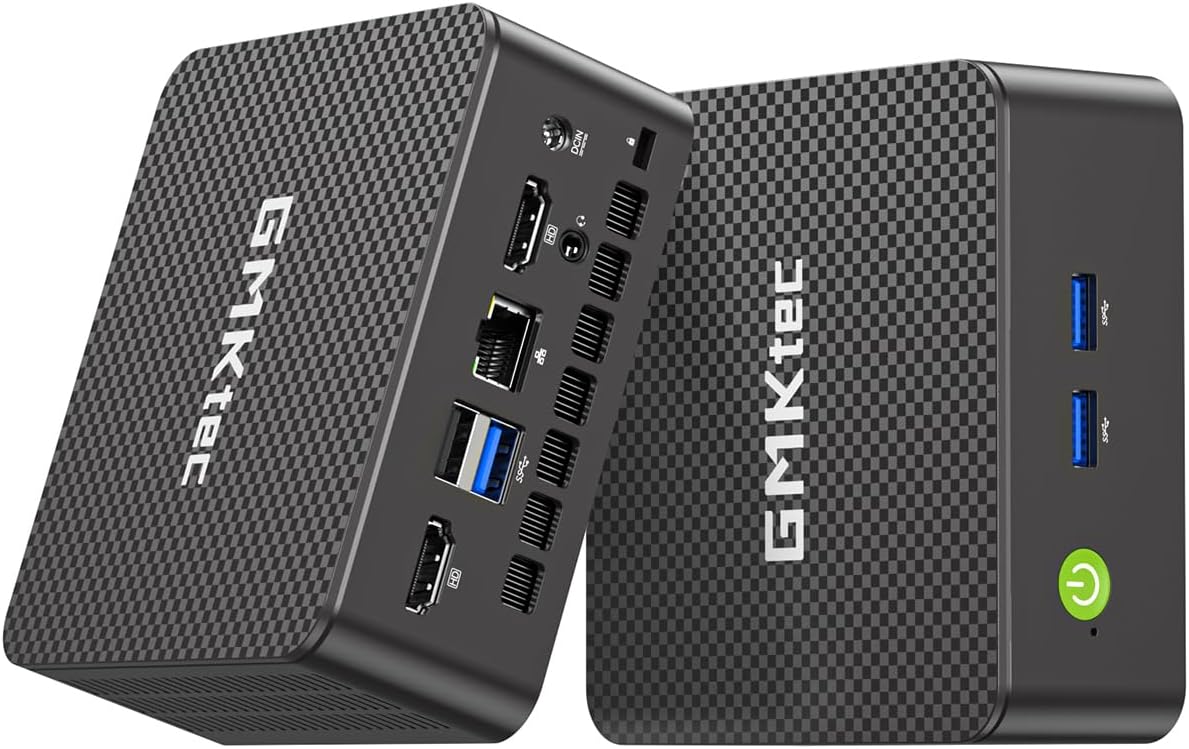
The GMKtec G11 excels as a networking hub with dual 2.5GbE Ethernet ports perfect for building home labs firewalls or high speed NAS systems on Linux.
We may earn a commission when you buy through this link, at no additional cost to you.
Powered by the Ryzen R2514 embedded processor it offers solid performance and stability for continuous operation while dual channel memory boosts graphics and multitasking efficiency.
Triple 4K display support and WiFi 6E connectivity make it versatile for general desktop use too but its standout feature remains professional grade networking capabilities.
If you need a compact reliable device to manage networks or run virtual machines with strong throughput this model is engineered specifically for those tasks.
Dual 2.5GbE ports enable routing and firewall setups with pfSense or OPNsense providing high bandwidth and isolation for secure home network environments.
Two 8GB DDR4 sticks in dual channel mode double the memory bandwidth improving GPU performance and overall system responsiveness significantly.
We may earn a commission when you buy through this link, at no additional cost to you.
The CyberGeek Mini PC brings desktop class power to a compact form with an i9-11900H processor and 32GB RAM suitable for gaming and heavy Linux workloads.
We may earn a commission when you buy through this link, at no additional cost to you.
Triple 4K display support and extensive USB connectivity enable rich visual and peripheral setups while the advanced cooling helps sustain high performance under load.
While it draws more power than entry level models the raw performance makes it ideal for demanding software emulation or development tasks that require headroom.
Gamers and power users looking for a small Linux compatible machine with strong compute and display capabilities will find this model compelling despite higher energy needs.
The 8 core 16 thread i9-11900H reaches up to 4.9GHz offering substantial processing power for gaming rendering and intensive development environments.
DP HDMI and Type-C outputs support three 4K displays simultaneously allowing immersive gaming or expansive workspace setups in a small footprint.
We may earn a commission when you buy through this link, at no additional cost to you.
The BOSGAME E5 is optimized for network enthusiasts with dual 2.5GbE LAN ports ideal for firewalls NAS or virtual machine hosting on Linux systems.
We may earn a commission when you buy through this link, at no additional cost to you.
Its Ryzen 3 5300U processor and 16GB DDR4 RAM deliver stable productivity performance while triple 4K display support helps maximize screen real estate efficiently.
The full function Type-C port supports high speed data and display output adding to its versatility for modern office or home lab deployments.
If you need a reliable compact Linux Mini Pc with advanced networking and expandable storage this model balances performance and practical features well.
Two Realtek 2.5GbE ports enable high bandwidth routing and NAS applications providing enterprise level networking in a compact desktop form factor.
HDMI DisplayPort and Type-C outputs support three 4K@60Hz monitors eliminating constant window switching for improved workflow and visual comfort.
We may earn a commission when you buy through this link, at no additional cost to you.
The BOSGAME E4 Air offers one of the most affordable entry points into Linux Mini Pcs with solid Ryzen 5 performance and triple 4K display capability.
We may earn a commission when you buy through this link, at no additional cost to you.
Its 8GB RAM and 256GB SSD handle everyday tasks like web browsing and document editing efficiently while dual Gigabit Ethernet ensures stable networking for home use.
Though storage and RAM are modest the system remains responsive for basic Linux distributions and can be upgraded if you need more capacity over time.
If you seek a compact low cost desktop for light productivity and media consumption this model provides excellent value with reliable long term support.
HDMI DisplayPort and USB-C ports enable simultaneous output to three 4K monitors for a wide workspace even on budget friendly hardware.
The Ryzen 5 3500U processor delivers consistent performance for office work and media playback keeping daily tasks smooth without unnecessary power draw.
We may earn a commission when you buy through this link, at no additional cost to you.
The GMKtec G3S is an affordable entry level Linux Mini Pc ideal for basic office tasks streaming and light development on a tight budget.
We may earn a commission when you buy through this link, at no additional cost to you.
Powered by the Intel N95 processor it delivers improved efficiency over older chips while dual HDMI 4K@60Hz ports support comfortable dual screen multitasking.
With 8GB RAM and a fast M.2 SSD it ensures quick boot times and fluid application loading making it suitable for everyday browsing and document work.
Buyers looking for a simple cost effective desktop to replace bulky towers will find this model offers solid performance and modern connectivity at a great price.
The 12th Gen N95 processor provides up to 36 percent performance improvement over earlier low power chips while maintaining low energy consumption.
Dual HDMI 2.0 outputs let you connect two 4K displays at 60Hz for efficient multitasking without compromising visual quality or refresh rates.
We may earn a commission when you buy through this link, at no additional cost to you.
Selecting the right Linux Mini Pc involves evaluating several key factors to ensure compatibility performance and reliability for your specific use case.
Check whether the manufacturer supports Linux or provides a preinstalled distribution like Ubuntu Zorin or Linux Mint to avoid driver issues during setup.
Choose models with clear Linux support to save time on configuration and ensure hardware components like WiFi and graphics work reliably out of the box.
For light tasks an Intel N100 or AMD Ryzen 3 may suffice but development virtualization or media editing benefits from quad core or higher CPUs like Ryzen 5 or i7.
Prioritize processors with enough cores and threads to handle multitasking smoothly while maintaining energy efficiency for 24/7 operation.
8GB RAM works for basic browsing but 16GB or more is recommended for running virtual machines and development environments alongside Linux desktop tools.
Look for systems with visible SO-DIMM slots so you can upgrade memory later without replacing the entire unit to extend its lifespan.
NVMe SSDs provide faster boot and file transfer speeds than SATA SSDs and HDDs making them preferable for responsive Linux desktop experiences.
Confirm whether the unit includes extra M.2 or SATA slots for adding storage later especially if you plan to use it as a media server or NAS.
Triple display support via HDMI DP and Type-C with DP Alt Mode enables wide workspaces and is useful for coding monitoring or media consumption.
Ensure the GPU supports the desired resolution and refresh rate such as 4K@60Hz to avoid bottlenecks when driving multiple high resolution screens.
Gigabit Ethernet WiFi 6 or 6E and Bluetooth 5.2 or higher are essential for modern home and office networking and peripheral connectivity.
Sufficient USB 3.2 Type-A and Type-C ports allow you to connect drives printers and other devices without needing extra docks or hubs.
Mini PCs with aluminum chassis and dedicated heat sinks run cooler and quieter under load ensuring reliable performance during extended use.
Look for models advertised for 24/7 operation with advanced cooling designs if you plan to use the device as a server or always-on workstation.
Reputable brands offer one to three year warranties with responsive technical support which is critical for resolving Linux hardware compatibility issues quickly.
Confirm the warranty terms and support availability before buying to protect your investment and minimize downtime in case of hardware defects.
Connect the Mini PC to a display monitor keyboard and mouse using HDMI or Type-C then follow the setup instructions to install or update your Linux distribution.
Place the device in a well ventilated area away from direct sunlight to prevent overheating and ensure the cooling fan has unobstructed airflow.
Regularly update your system software and drivers keep firmware current and back up important data to external storage to maintain long term reliability.
Most Mini PCs with standard x86 processors support Linux but you should verify wireless graphics and power management driver compatibility before purchase. Some manufacturers offer preinstalled Linux to ensure hardware works reliably out of the box without extra configuration.
Some models arrive with Ubuntu Zorin or Linux Mint preinstalled while others ship with Windows or no OS allowing you to install your preferred Linux distro yourself. Check the product details carefully before buying.
For basic desktop use 8GB RAM is often sufficient but development virtualization and multitasking workloads benefit from 16GB or more. If you run multiple VMs containers choose 32GB or higher for smoother performance.
Yes many Mini PCs are designed for 24/7 operation and work well as home servers NAS or firewalls. Look for models with Ethernet ports ample RAM and reliable cooling to handle continuous server workloads.
Many Linux Mini Pcs support dual or triple monitor setups via HDMI DisplayPort and USB-C with DP Alt Mode. Verify the maximum resolution and refresh rate supported per port to plan your display configuration.
Most Mini PCs include accessible M.2 or SATA slots for adding SSDs or HDDs. Check the user manual for slot availability and recommended drive types to expand storage without voiding the warranty.
Mini PCs generally consume far less power than traditional desktops often ranging from 6W to 65W depending on the processor. This efficiency makes them ideal for always on servers and energy conscious home offices.
With proper ventilation and regular software updates Mini PCs can last several years in desktop or server roles. Choosing models with quality cooling and replaceable memory extends their useful life further.
The TK Node Mini PC leads our list with excellent Linux integration expandable storage and reliable performance for both desktop and server tasks.
Whether you prioritize budget performance or premium features there is a Mini Pc in this roundup that fits your workflow and technical requirements.
Prices and availability change frequently so check current listings and verify Linux support before finalizing your purchase to ensure satisfaction.